Nov 1, 2025
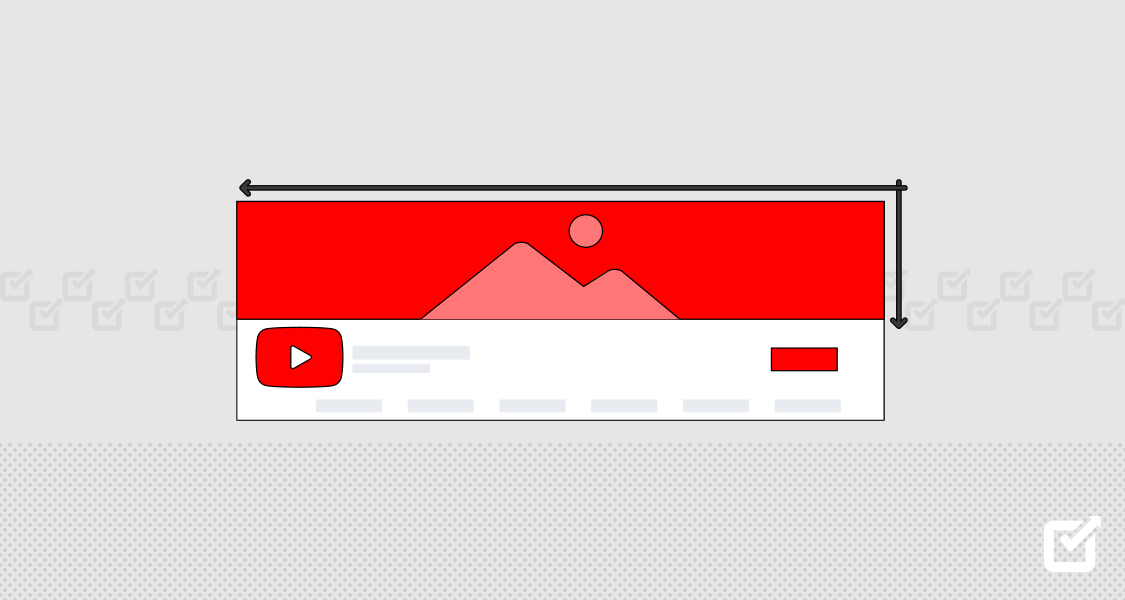
Ever upload a header only to see it cropped on mobile, or send a print banner that looks soft and pixelated? Banner size determines whether your message is compelling or gets lost, as the correct banner dimensions and aspect ratio ensure images remain sharp across web banners, social media banners, billboards, and print banners, while aligning with standard ad sizes and pixel dimensions. Which standard banner sizes work best for desktop banners, mobile banners, display ads, social headers, and hero images, and how do resolution, safe area, and file size affect results? This article breaks down standard banner sizes and when to use them so you can design faster and get predictable results.
To make that easier, Flora AI's AI playground guides you through standard banner formats, shows instant previews in different placements, and helps you export the correct file size and DPI without guesswork.
Summary
The 300 × 250 medium rectangle proved to be the practical default in a six-week placement test across three content verticals, accounting for 40% of all banner ads and serving as the reliable workhorse for remarketing and conversion-focused creative.
The 728 × 90 leaderboard is designed for top-of-page dominance and rapid impressions, and it appears in 25% of banner ad campaigns; therefore, creatives should prioritize clean layouts and concise messaging.
Tall formats, such as the 160 × 600 skyscraper and the 300 × 600 half-page, increase repeated exposure and storytelling space, with the 160 × 600 format representing 12% of banner ad usage.
Size alignment significantly impacts outcomes, as a correctly sized banner can increase click-through rates by up to 200%, while an incorrectly sized banner can reduce engagement by 50%.
Audience granularity and campaign scale must drive format choice, given that 70% of marketers say targeting specific audience sizes improves campaign effectiveness, and 80% of marketers report the right campaign size can increase engagement by 30%.
Manual resizing may seem simple at first, but it fails at scale, as teams producing dozens or hundreds of variants face asset drift unless they enforce three immutable constraints: a locked focal point, a typographic scale tied to pixel height, and file-weight ceilings.Flora AI's AI playground addresses this by preserving focal points, automating size-specific crops, and batch-exporting consistent variants, allowing teams to validate placements and file specs more efficiently.
Table of Contents
Standard Banner Sizes and When to Use Them
Importance of the Right Banner Size
Choosing the Right Size for Your Campaign
Design Considerations for Any Banner Size
Try FLORA's AI-native Creative Canvas for Free Today
Standard Banner Sizes and When to Use Them

Start with the size that matches your goal, then treat every other size as a refinement of placement, visibility, and creative space; different ad formats serve different objectives, from quick clicks in-content to large-format awareness at the page top.
Use the medium rectangle when you need flexible placement and high publisher acceptance, the leaderboard when you want immediate top-of-page exposure, and the taller or larger formats when you require sustained visibility or space to tell a detailed story.
Which Size Wins When You Need Reliable Placement and Broad Reach?
The 300 × 250 medium rectangle functions as the practical default for a reason: it fits inside articles, sidebars, and mobile feed slots without feeling forced. When we ran a six-week placement test across three content verticals, the medium rectangle was consistently accepted by publishers. It required fewer layout adjustments than other creatives, which cut handoffs between design and engineering.
That pattern matches industry trends, and according to Publift’s 2025 report on common banner ad sizes, the 300x250 ad size is the most popular, accounting for 40% of all banner ads. Treat this format as your reliable workhorse for remarketing and conversion-focused creative.
When Should You Choose the Leaderboard for Brand Work?
If you want to be the first visual a visitor sees, pick the 728 × 90 leaderboard; it’s engineered for top-of-page dominance and rapid impression delivery. Utilize the leaderboard for product launches, brand messaging, and explicit hero imagery that is easily visible, especially on desktop, without requiring users to scroll.
Presence, Clean Layouts, and Concise Copy
This choice is not about subtlety—it’s about presence. Industry data indicate that 728x90 leaderboard ads comprise approximately 25% of all banner ad campaigns. Design cleaner layouts and keep copy concise, as every pixel competes with browser elements and the viewer’s attention.
How Do Tall and Large Formats Change the Creative Brief?
Choose the 160 × 600 wide skyscraper or the 300 × 600 half-page when you want repeated exposure or room to showcase multiple features. The skyscraper’s vertical rhythm is perfect for lists, stacked product shots, or elongated illustrations that “follow” the reader as they scroll. The half page gives you space to build a micro-story or product grid that raises viewability, which is why teams use it when creative needs to work harder than a single headline and image.
What About Mobile-First Banners, Billboards, and Production Scale?
For mobile, the 320 × 100 large mobile banner strikes a balance between legibility and space, making it ideal for app installs, coupon CTAs, or any campaign where most traffic originates from phones. The 970 × 250 billboard is a premium theater for high-impact visuals and seasonal promotions, but it requires publisher inventory and a bold creative direction to justify the CPM.
When you need to ship dozens or hundreds of production-ready banners from a single concept, design systems that preserve aspect ratios, focal points, and color palettes enable you to scale without losing your brand voice.
The Cost of Inconsistent Variants
Most teams handle size changes manually at scale, and this familiar approach works well early on, as exporting a single creative to three sizes feels straightforward. However, as campaigns expand, the hidden cost becomes apparent: asset drift, inconsistent cropping, and hours spent reconciling style across dozens of variants, which delays launches and frustrates stakeholders.
Automated, Consistent Asset Generation Across Formats
Platforms like FLORA make that friction visible and reduce it by preserving reference images, automatic focal-point cropping, and multi-model generation that outputs consistent assets across formats, compressing iteration from days into hours while maintaining style and subject integrity.
Which Practical Checks Stop You from Wasting Time on the Wrong Size?
Start with placement: will the ad appear in-line, in a header, or in a sticky rail?
Test with a single, on-brand creative and verify focal points at each target resolution, because a hero shot that reads at 970 × 250 often fails at 160 × 600 without a different crop or composition.
Expect to run two quick experiments: one for viewability and one for conversion mechanics.
Treat the creative as a set of modular parts that can be recombined for each ad unit.
Mismatch Breaks Campaigns
Think of banner sizes like stages for a short play; some stages are intimate and conversational, others demand a loud single image. Choosing the right one shapes the script you write, the props you need, and how long the audience remembers you. The part that actually breaks most campaigns is not the creative quality; it is the mismatch between format and placement that only becomes apparent after the campaign has launched.
Related Reading
Importance of the Right Banner Size

The right banner size is not optional, it is tactical: it shapes what people actually see, how long they look, and whether a campaign meets its KPI or quietly wastes spend. Get the size right and the creative’s intent carries through; get it wrong and visibility, placement, and conversion all suffer.
Why Does a Single Dimension Change Outcomes so Much?
Size controls composition, viewability, and the ad’s reading order. A banner that aligns its focal point with the slot’s visible area converts the viewer’s glance into action; when composition and placement match, attention compounds into clicks and downstream conversions.
According to the PropellerAds Blog, a correctly sized banner can increase click-through rates by up to 200%, demonstrating how format and composition enhance the value of the same creative when they are optimized for placement.
What Breaks When Teams Treat Size as a Checkbox?
This challenge appears across both direct-response and brand campaigns: teams choose a single master asset and expect it to survive every placement, only to find that cropping, distortion, or off-center focal points erode its impact. When that happens, engagement drops because the message becomes fragmented mid-impression, and in many cases, the wrong size significantly reduces the message's effectiveness.
PropellerAds reports that using the incorrect banner size can reduce engagement by up to 50%. That is to say, a single mismatch can halve the audience’s willingness to act.
How Do You Reduce the Hidden Cost of Manual Resizing?
Most teams handle resizing by exporting variants one by one because it is familiar and simple at a small scale. Still, the hidden cost becomes apparent as projects multiply: quality reviews balloon, stakeholder feedback becomes fragmented, and launches slip.
Platforms like FLORA's AI playground centralize versions, preserve focal points through automated cropping, and generate consistent variants across models, compressing review cycles from days to hours while maintaining style and subject integrity.
What Practical Test Should Teams Run Before Committing to a Size?
Run small, rapid A/B tests that keep the creative constant while varying only the size and placement; measure viewability and downstream action, such as click-to-landing conversion, not just raw impressions.
Testing Focal Points and Motion
Treat each size as an experimental constraint: if your creative depends on a face or product detail, test focal-point crops and motion-safe areas immediately, because what reads well at one resolution often fails where pixel density and scroll speed differ. Think of it like tailoring the same jacket for different body types, where a small seam change either flatters the wearer or ruins the silhouette.
How Does This Scale Without Blowing the Schedule?
Build a size-first workflow: lock your brand references and style tokens, automate aspect-ratio variants, then batch-generate across models so every run reuses the same visual grammar. That approach transforms one creative brief into a repeatable pipeline, rather than a manual export job, thereby protecting brand consistency while allowing experimentation at scale.
FLORA is the first AI-native creative canvas that unifies text, image, and video generation in one infinite AI playground. Built for professional teams, it replaces the chaos of jumping between tools with a powerful node-based system that gives you complete control over your creative process. That solution sounds comprehensive, but the next decision will reveal the hidden tradeoffs you have not yet considered.
Choosing the Right Size for Your Campaign

The right banner size follows the audience and the campaign’s operating scale, not the other way around. Match format to the cohort you want to reach, then treat size as an experimental constraint you can tune to optimize viewability, cost, and creative detail.
Who Am I Designing for, and How Does Audience Size Change the Brief?
When we segment by intent and attention span, the design brief changes immediately: high-intent, narrow cohorts want detail and a clear CTA, while broad awareness pools need a bold single visual that reads fast. That is why HubSpot found that 70% of marketers say campaigns are more effective when targeting a specific audience size, a stat reflecting how audience granularity should shape both composition and format.
In practice, target smaller cohorts with tighter messaging and heavier visual hierarchy, and reserve sparser, high-contrast treatments for mass reach.
How Should Budget and Frequency Shape Your Format Choices?
This is a pattern across agencies and in-house teams: budgets and frequency caps force tradeoffs between reach and impact. Smaller units often buy more impressions for the same spend. Still, they demand clearer focal points to avoid blending into page content, which is why PRLab reports that 80% of marketers believe the right campaign size can increase engagement by 30%.
This is a reminder that format selection is a lever for engagement, not just cost. Think of format choice as an allocation decision, where CPM efficiency must be weighed against the effectiveness of the creative.
What Do Teams Usually Do, and Where Does That Break Down?
Most teams lean on manual resizing and one-off exports because it feels fast at first. That familiar approach works for pilots, but as stakeholders and placements multiply, versions proliferate, style slips, and approvals bog down. The hidden cost shows up as inconsistent brand voice and delayed launches, not only higher labor.
Solutions like intelligent creative canvases help bridge that gap, by locking reference assets, automating focal-point preservation, and batch-generating variants across models so review loops compress from multiple rounds to same-day approvals while retaining visual consistency.
Which Production Constraints Prevent Failure as You Scale?
Set three immutable constraints before you batch-generate: a locked focal point, a typographic hierarchy scaled by pixel size, and a maximum file weight for each format. Treat those constraints as the brief’s safety rails; they keep composition intact when aspect ratios change. Picture it like lens choices in photography: you pick the lens, then you compose to what that lens allows. That mindset stops adrift before it becomes a quality problem.
How Do You Decide When to Scale a Size Across Campaigns?
Use a governance matrix linking cohort, KPI, acceptable CPM, and a minimum viewability threshold. Run a short pilot across representative placements, then evaluate against those thresholds rather than relying solely on raw impressions.
Rules-Based Scaling vs. Unraveling Details
If a format clears the KPI gate, automate the rollout; otherwise, iterate on the composition or redirect the spend elsewhere. This makes scaling a rules-based decision, not an argument-prone judgment call. That solution feels like progress, until one small, stubborn detail makes the whole campaign unravel.
Related Reading
Design Considerations for Any Banner Size

Design choices for any banner size begin with two priorities: protecting the focal point and limiting variables that can break across placements. When those are locked, everything else becomes a set of deliberate tradeoffs you can test quickly and scale reliably.
What Should I Do First to Preserve Composition?
Treat the focal point as sacred. Select a primary subject area, define its safe zone, and design the layout so that text and CTAs are positioned outside that zone. This prevents the common failure where a product crop or face gets chopped on narrow placements. Think of it like framing a portrait for multiple frames.
You choose the crop that never cuts off the subject, then adjust negative space and hierarchy around it.
How Do Color and Type Choices Change by Size?
Smaller units demand higher contrast and fewer type layers. Limit palettes to two or three colors and establish two typographic scales: one for headlines and another for body copy. When a headline shrinks below 14 pixels, the design requires a more compact layout, rather than smaller kerning.
In practice, systems that lock color tokens and typographic scales let designers swap sizes without rethinking every element.
What Small Technical Choices Speed Up Load Times Without Hurting Quality?
Prioritize modern formats, adaptive delivery, and a strict file-weight budget per size. Use animated vectors, such as Lottie or animated WebP, instead of heavy GIFs for motion, and export image assets at the display pixel ratio they require, not the largest you can create. This pattern appears across publisher builds: oversized files inflate render time and increase bounce, so set a hard cap and enforce it in the build pipeline.
How Should CTAs and Motion Behave Across Formats?
Place CTAs in the most stable area of the slot, avoiding spots that change with publishers. For motion, prefer short, loopable micro-animations that complete within two seconds and avoid necessary framing shifts. Motion should earn attention but never be required to understand the offer; that keeps conversion predictable when viewability fluctuates.
How Do I Test Sizes Without Wasting Creative Iterations?
Run size-controlled A/B tests that keep messaging and imagery constant, then compare viewability and downstream engagement, not just clicks. Track at least three metrics per test:
Viewability
Click-through per viewable impression
Landing-page conversion
If a size fails to achieve viewability but outperforms others in conversion when seen, you have a frequency and placement tradeoff to manage, not a creative failure.
What Organizational Rules Prevent Asset Drift at Scale?
Create three immutable production constraints: locked focal point, typographic scale tied to pixel height, and a file-weight ceiling for each format. Enforce those in templates and preflight checks so every export meets the brief before review. That rule set stops the slow creep of inconsistencies that otherwise emerge when dozens of variants are produced.
Why Do Deployments Between Environments So Often Break Banners, and What Fixes Work?
Most teams move creatives through staging and production in the same manual way they move other content, which is familiar and low-friction early on. What happens then is predictable: fonts, links, and hosted images break when paths or CDN rules differ, and teams spend hours patching assets rather than improving their creative work.
Teams achieve better results when they treat banners as data assets, pushing references and tokens instead of static files, or using promotion scripts that automatically replace environment-specific paths.
Status Quo, the Hidden Cost, and the Bridge
Most teams export variants and coordinate reviews over email because it is familiar and requires no new workflows. As projects scale, reviews fragment, context is lost, and manual fixes for broken elements consume days.
Platforms like FLORA's intelligent canvas centralize references, preserve focal points during automatic cropping, and batch-generate consistent variants across models, compressing review cycles from days to hours while maintaining style and subject integrity.
Which Measurement Quirks Should I Watch For?
Viewability and click-through can tell opposite stories; a tall skyscraper might earn attention through repeated exposure, while a compact rectangle produces sharper immediate conversions. Track both immediate and delayed conversions, and segment results by publisher slot and device.
Use heatmap or eye-tracking proxies for creative placement checks when face or product detail is crucial.
How Do Specific Format Habits Change Production Priorities?
Specific slots reward repetition, while others reward a single, precise shot for formats where visual rhythm is crucial, such as plan sequential frames or stacked content. For compact placements, consolidate messaging into a single, strong visual, accompanied by a one-line CTA.
Production pipelines should reflect that: different render presets, size-specific motion rules, and separate QA checklists.
A Quick, Evidence-Based Nudge to Industry Practice
When teams enforce size-specific export rules and automated preflight checks, review cycles are shortened, and post-launch fixes decrease. This practice is important because the market still fragments by format, and teams need rules that accompany the asset.
The Dominance of 300x250 and Seamless Scaling
Research indicates that the 300x250 ad size remains the most widely used, accounting for approximately 40% of all banner ads, while the 160x600 skyscraper format represents roughly 12% of total usage. The takeaway is clear—campaigns must adapt to multiple sizes, with design rules that scale seamlessly across each format.
A Short Analogy to Keep Decisions Practical
Treat banner sizes like lenses in a photographer's bag, each revealing a different composition. You do not force one lens to do every job; you pick the right lens, then compose to what it allows.
What to Try Next in Your Workflow
Start by creating a single template that adheres to the three constraints. Run a two-week pilot across representative publishers and measure viewability, as well as downstream conversion. When the pilot identifies recurring environment breaks or file-weight issues, escalate to automated token promotion and preflight enforcement.
That familiar feeling of "we fixed it once" is misleading, and the truth about scaling creative is more unsettling than most teams expect.
Related Reading
Try FLORA's AI-native Creative Canvas for Free Today
When teams transitioned to a single creative canvas, patterns emerged across both agency and in-house projects, feedback became synchronized, and iterations accelerated. Over 10,000 users have already tested FLORA’s AI-native Creative Canvas, which maintains a 95% satisfaction rate among its users.


"/><stop offset="1" stop-color="rgba(15, 15, 15, 0)"/></linearGradient></defs><path d="M 899.729 124.429 L 931.177 124.429 L 931.177 108.467 L 946.905 108.467 L 946.905 44.616 L 884.001 44.616 L 884.001 92.504 L 868.274 92.504 L 868.274 124.429 L 852.554 124.429 L 852.554 140.392 L 836.826 140.392 L 836.826 156.355 L 852.554 156.355 L 852.554 172.317 L 836.826 172.317 L 836.826 204.242 L 821.098 204.242 L 821.098 236.168 L 852.554 236.168 L 852.554 252.129 L 758.2 252.129 L 758.2 236.167 L 789.65 236.167 L 789.65 204.241 L 805.378 204.241 L 805.378 172.316 L 821.098 172.316 L 821.098 124.428 L 836.826 124.428 L 836.826 92.504 L 852.554 92.504 L 852.554 44.616 L 836.826 44.616 L 836.826 28.654 L 962.625 28.654 L 962.625 44.616 L 978.353 44.616 L 978.353 60.579 L 994.081 60.579 L 994.081 76.541 L 978.353 76.541 L 978.353 124.429 L 946.905 124.429 L 946.905 140.392 L 931.177 140.392 L 931.177 156.355 L 946.905 156.355 L 946.905 236.168 L 978.417 236.168 L 978.417 220.205 L 994.145 220.205 L 994.145 204.242 L 1009.865 204.242 L 1009.865 188.28 L 1025.593 188.28 L 1025.593 204.242 L 1009.865 204.242 L 1009.865 220.205 L 994.145 220.205 L 994.145 236.168 L 1025.593 236.168 L 1025.593 252.13 L 915.449 252.13 L 915.449 156.355 L 899.729 156.355 Z M 1135.672 172.317 L 1119.944 172.317 L 1119.944 76.541 L 1104.216 76.541 L 1104.216 92.504 L 1088.496 92.504 L 1088.496 108.467 L 1072.768 108.467 L 1072.768 92.504 L 1088.496 92.504 L 1088.496 76.541 L 1104.216 76.541 L 1104.216 60.579 L 1119.944 60.579 L 1119.944 28.654 L 1135.672 28.654 L 1135.672 60.579 L 1151.392 60.579 L 1151.392 236.168 L 1167.12 236.168 L 1167.12 252.13 L 1104.216 252.13 L 1104.216 236.168 L 1119.944 236.168 L 1119.944 188.28 L 1135.672 188.28 Z M 1072.768 124.429 L 1072.768 140.392 L 1057.041 140.392 L 1057.041 156.355 L 1041.321 156.355 L 1041.321 172.317 L 1025.593 172.317 L 1025.593 156.355 L 1041.321 156.355 L 1041.321 140.392 L 1057.041 140.392 L 1057.041 124.429 Z M 176.61 25.988 C 124.406 25.988 78.864 38.954 68.867 80.108 C 64.424 102.095 70.533 130.282 105.522 145.504 C 107.678 146.379 109.332 146.83 110.516 147.152 C 112.382 147.661 113.082 147.852 112.742 148.886 C 112.186 150.577 106.633 150.014 102.19 148.323 C 69.424 136.484 51.65 107.168 54.983 77.289 C 60.536 35.572 109.966 -1.636 179.387 0.056 C 202.713 0.056 238.812 5.692 273.246 15.276 C 293.795 20.914 321.009 28.243 346.555 34.444 C 369.881 24.86 392.096 18.659 411.534 18.659 C 425.628 18.659 438.846 21.919 444.414 28.654 L 537.86 28.654 L 537.86 44.616 L 506.41 44.616 L 506.41 60.579 L 490.685 60.579 L 490.685 92.504 L 474.959 92.504 L 474.959 124.429 L 459.233 124.429 L 459.233 172.317 L 443.508 172.317 L 443.508 220.205 L 427.783 220.205 L 427.783 236.168 L 522.135 236.168 L 522.135 220.205 L 537.86 220.205 L 537.86 204.242 L 553.586 204.242 L 553.586 172.317 L 569.311 172.317 L 569.311 204.242 L 553.586 204.242 L 553.586 236.168 L 537.86 236.168 L 537.86 252.13 L 364.881 252.13 L 364.881 236.168 L 396.332 236.168 L 396.332 220.205 L 412.058 220.205 L 412.058 172.317 L 427.783 172.317 L 427.783 140.392 L 443.508 140.392 L 443.508 92.504 L 459.234 92.504 L 459.234 44.616 L 444.157 44.616 C 437.338 52.415 419.206 55.303 394.318 55.303 C 379.323 55.303 357.108 53.048 349.333 51.92 C 337.67 63.196 325.452 77.853 314.9 90.82 C 305.307 102.032 297.996 111.856 290.818 121.501 C 284.281 130.284 277.855 138.919 269.914 148.323 C 283.798 148.886 298.794 147.759 309.901 143.812 C 320.454 129.155 333.783 122.39 342.669 124.645 C 351.554 126.9 350.444 135.92 337.67 145.504 C 335.4 147.26 333.256 148.887 331.193 150.453 C 322.659 156.932 315.515 162.356 306.569 171.436 C 304.66 173.374 302.994 175.312 301.571 176.968 C 299.269 179.646 297.602 181.584 296.572 181.584 C 293.24 182.148 294.351 172 296.572 166.363 C 299.349 159.597 302.126 154.524 304.903 150.577 C 295.462 153.396 284.91 154.524 266.026 154.524 C 264.938 155.812 263.791 157.222 262.545 158.751 C 259.978 161.904 256.993 165.569 253.253 169.745 C 204.381 225.557 123.85 256 71.645 256 C 29.993 256 0 239.087 0 212.591 C 0 193.987 12.774 175.947 34.99 175.947 C 53.317 175.947 61.092 188.349 60.537 200.188 C 59.981 208.644 57.204 213.718 51.651 219.92 C 47.763 224.429 44.431 228.376 44.431 234.013 C 44.431 243.597 52.762 249.798 68.867 250.362 C 111.631 253.181 142.177 234.013 176.61 195.678 C 190.494 180.456 200.491 168.054 210.488 153.96 C 198.27 153.96 186.607 153.96 179.943 154.524 C 172.902 154.799 168.37 155.744 165.639 156.313 C 162.768 156.912 161.886 157.096 162.17 155.652 C 162.726 153.396 167.724 149.45 184.385 148.323 C 188.537 147.94 196.791 148.077 204.443 148.204 C 208.052 148.264 211.528 148.323 214.375 148.323 C 222.151 137.611 231.037 125.772 242.7 113.37 C 264.915 89.128 294.35 65.451 323.23 47.411 C 307.124 45.719 281.021 40.645 263.804 37.263 C 239.923 32.753 203.268 25.988 177.166 25.988 L 176.61 25.988 Z M 365.438 39.518 C 386.542 45.156 403.204 46.847 413.2 46.847 C 427.64 46.847 440.969 42.336 441.524 36.136 C 442.08 29.37 428.751 24.296 410.979 24.296 L 410.423 24.296 C 394.317 24.296 375.435 32.753 365.438 39.518 Z M 711.023 252.129 L 616.672 252.129 L 616.672 236.167 L 600.946 236.167 L 600.946 220.204 L 585.221 220.204 L 585.221 108.466 L 600.946 108.466 L 600.946 76.54 L 616.672 76.54 L 616.672 60.578 L 632.396 60.578 L 632.396 44.616 L 663.847 44.616 L 663.847 28.654 L 758.2 28.654 L 758.2 44.616 L 773.924 44.616 L 773.924 60.579 L 789.65 60.579 L 789.65 172.317 L 773.924 172.317 L 773.924 188.28 L 758.2 188.28 L 758.2 220.205 L 742.474 220.205 L 742.474 236.168 L 711.023 236.168 Z M 663.847 44.616 L 663.847 60.579 L 648.122 60.579 L 648.122 76.541 L 632.396 76.541 L 632.396 108.467 L 616.672 108.467 L 616.672 220.205 L 632.396 220.205 L 632.396 236.168 L 695.298 236.168 L 695.298 220.205 L 711.023 220.205 L 711.023 204.242 L 726.749 204.242 L 726.749 188.28 L 742.474 188.28 L 742.474 156.355 L 758.2 156.355 L 758.2 60.579 L 742.474 60.579 L 742.474 44.616 Z" fill="url(%23k7ftP17bN-2050371890-linear-gradient)" height="255.9995555606772px" id="k7ftP17bN" width="1167.1199228535695px"/></svg>)