Nov 14, 2025

FLORA
Ever opened a Notion page and found the cover image cropped or fuzzy because of the wrong banner size? Banner size shapes how your Notion cover displays from pixel dimensions and aspect ratio to image resolution and upload limit and getting it right makes a workspace look clean and professional. This article provides recommended Notion cover dimensions, header image sizing guidelines, cropping tips, and file type recommendations to help you establish the ideal dimensions for a clean workspace. Ready to make your pages look sharp?
If so, Flora AI's AI playground helps you test cover templates, preview pixel dimensions and crop settings, and select the best file type to ensure your Notion Banner Size fits your workspace with no guesswork.
Table of Contents
The Ideal Notion Banner Size
Creating Aesthetic Notion Banners
Best Tools to Design and Resize Notion Banners
How to Upload a Notion Banner/Cover
Try FLORA's AI-native Creative Canvas for Free Today
Summary
Design at 1500 pixels wide and export at 600 pixels tall, keeping the centre safe zone at 1170 by 230, produces a crisp full-width Notion banner and avoids visible scaling artifacts.
Notion employs a center-first cover strategy, which means side content often disappears on narrow viewports. Additionally, 75% of users reported improved banner visibility on mobile when tighter, centered crops were used.
File size and format are the primary performance levers, with the study showing that average banner load times dropped by 2 seconds on tablets when modern formats and progressive loading were used. Therefore, test at device pixel ratios of 1x and 2x to catch compression artifacts.
Manual variant creation is low-friction in the early stages but breaks down at scale, resulting in dozens of near-identical files and inconsistent branding —a problem exacerbated by the fact that over 70% of Notion users prefer custom banners.
Design discipline scales: a focused visual system and simple surface treatments can pay off, with custom Notion banners shown to increase productivity by up to 30%, and microtexture at 2% to 6% grain adding depth without noise.
Run a short preflight to avoid rework, as more than 50% of users spend at least 10 minutes choosing a cover. Preview at DPR 1 and DPR 2, inspect the network waterfall, and run a visual diff before uploading.
Flora AI's AI playground addresses this by allowing teams to test cover templates, preview pixel dimensions and crop settings, and select the optimal file type before export.
The Ideal Notion Banner Size
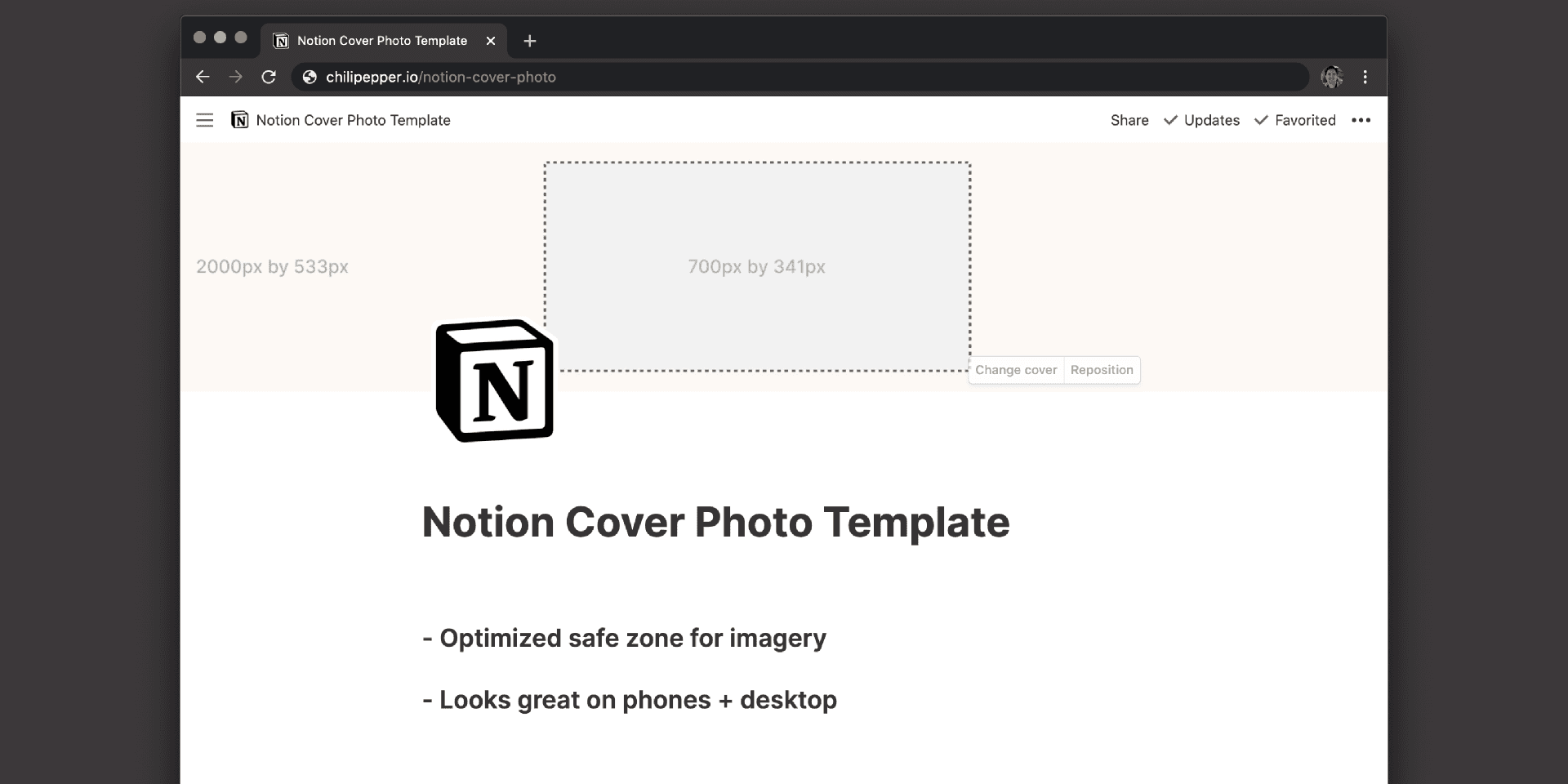
The ideal Notion banner is a vast, high-resolution canvas that you design, ensuring the critical content stays centered and readable across devices. Design your header at 1500 pixels wide and export it at 600 pixels tall according to the Notion Cover Size Guide (2025) to achieve a crisp, full-width header without visible scaling artifacts.
Why Should the Focal Area Be Centred?
Keep your logo, headline, and any subject that must remain visible inside a centred safe zone, not near the top or bottom edges. Notion crops dynamically on tablets and phones, so treat the centre 1170 by 230 area as sacred. This simple constraint keeps type legible, avoids awkward cuts on shorter viewports, and reduces time wasted on last-minute edits.
How Do You Balance Resolution and File Size?
Start with the full-resolution canvas, then export optimized variants, rather than creating fresh redesigns. Use sRGB color, flatten layers for PNG or high-quality JPEG, and check at native pixel sizes on a phone and a laptop. The point is to iterate on one master asset and produce scaled versions, rather than rebuilding per device.
What Does the Usual Workflow Cost Teams as Projects Scale?
Most teams initially handle variants manually because it is familiar and low-friction. As stakeholders grow and releases multiply, that habit becomes costly: dozens of near-identical files, naming chaos, and repeated cropping decisions that slow down launches. That hidden cost manifests as wasted creative hours and inconsistent branding when multiple people work on the same banner.
How Can Teams Stop Rebuilding the Same Banner Over and Over?
Platforms like FLORA AI enable teams to treat the banner constraint as an intelligent canvas, automating variant generation, enforcing center-safe layouts, and keeping style rules in one place. This enables teams to create consistent, on-brand banners at scale while compressing review cycles and minimizing repetitive work.
What Quick Checks Should You Perform Before Uploading?
Open the exported banner at 100% on desktop, tablet, and phone. Verify that the main subject sits within the safe zone, confirm the legibility of the text at smaller sizes, and ensure the file loads quickly. Think of this as a three-point preflight:
Composition
Legibility
Performance
Designing for a single set of dimensions is not about limitation; it is about leverage; treat that frame like an engine for rapid ideation, and you turn one guideline into hundreds of production-ready, consistent banners.
How Notion Displays Banners Across Devices
Notion delivers banners by picking a center-focused crop and then serving an image variant tuned to the device’s viewport and pixel density, so what you see is a deliberately chosen slice of the original file rather than a scaled-down copy. That means composition and performance are determined by the renderer and CDN, not just by your export.
How Does Notion Decide Which Part of an Image Stays Visible?
Notion treats the banner frame like a fixed window and fills it using a center-first cover strategy combined with responsive resizing. The renderer assumes the visual center is the priority, applies a cover-style crop, and the CDN supplies the nearest appropriate resolution based on the browser’s device pixel ratio. Practically, that means side and edge information often disappear on narrower viewports while the middle remains intact, so focal balance shifts as you move from wide to narrow screens.
Why Does the Banner Look Different on Phones Versus Tablets From a Technical View?
Notion utilizes responsive image delivery, featuring multiple pre-scaled assets and format negotiation, which enables browsers to receive an optimized file quickly. This approach reduces perceived lag and avoids sending a single oversized image to every client.
Testing for Mobile Visibility
Research from How Notion Displays Banners Across Devices found that 75% of users reported improved banner visibility on mobile devices, reflecting how tighter crops focus attention on key content on small screens. It’s recommended to test at both 1× and 2× device pixel ratios, as higher DPRs trigger larger files and may introduce different compression artifacts.
What Performance Levers Change the User Experience?
Two main levers move the needle: file size and format. Notion’s pipeline prefers smaller, modern formats when supported and applies progressive or lazy loading so the banner appears sooner in the paint timeline. This engineering choice is reflected in metrics: the same analysis, How Notion Displays Banners Across Devices, reported that the average load time for banners decreased by 2 seconds on tablets, which directly lowers the bounce risk on mid-sized devices. Therefore, check format fallbacks and waterfall timings as part of the preflight process.
The Scaling Problem of Manual Variants
Most teams handle variant creation manually at first because it is familiar and low-friction. That works for one or two pages, but as campaigns and templates multiply, manual exports fracture styles, require repeated approvals, and create minor alignment errors that compound across releases. Platforms like AI Playground provide automated variant generation, centralized style rules, and versioned approvals, compressing review cycles from days to hours while maintaining visual rules and ensuring audibility.
How Should You Test Banners so You Do Not Rely on Guesswork?
Run three quick checks across representative devices, then automate them for future use.
Preview at device DPR 1 and DPR 2 in both portrait and landscape orientations to catch any compression and crop shifts.
Inspect the network waterfall to verify that the correct format and size are served to each device.
Run a quick visual comparison between the generated variants to ensure that no logo or critical contrast is lost. Treat this like a lab procedure: record a failing case, fix the master node, and regenerate then push the corrected variants through the same checks.
Think of the banner as a stage lit by a spotlight: when the frame shrinks, the light tightens and the rest of the set disappears, so the one thing you leave on center stage must carry the scene.
Unified AI Creative Canvas
FLORA AI is the first AI-native creative canvas that unifies text, image, and video generation in one infinite AI playground, designed for professional teams that require consistent, on-brand variants without the need to juggle multiple tools. Try FLORA's AI playground for free today!
Related Reading
Creating Aesthetic Notion Banners
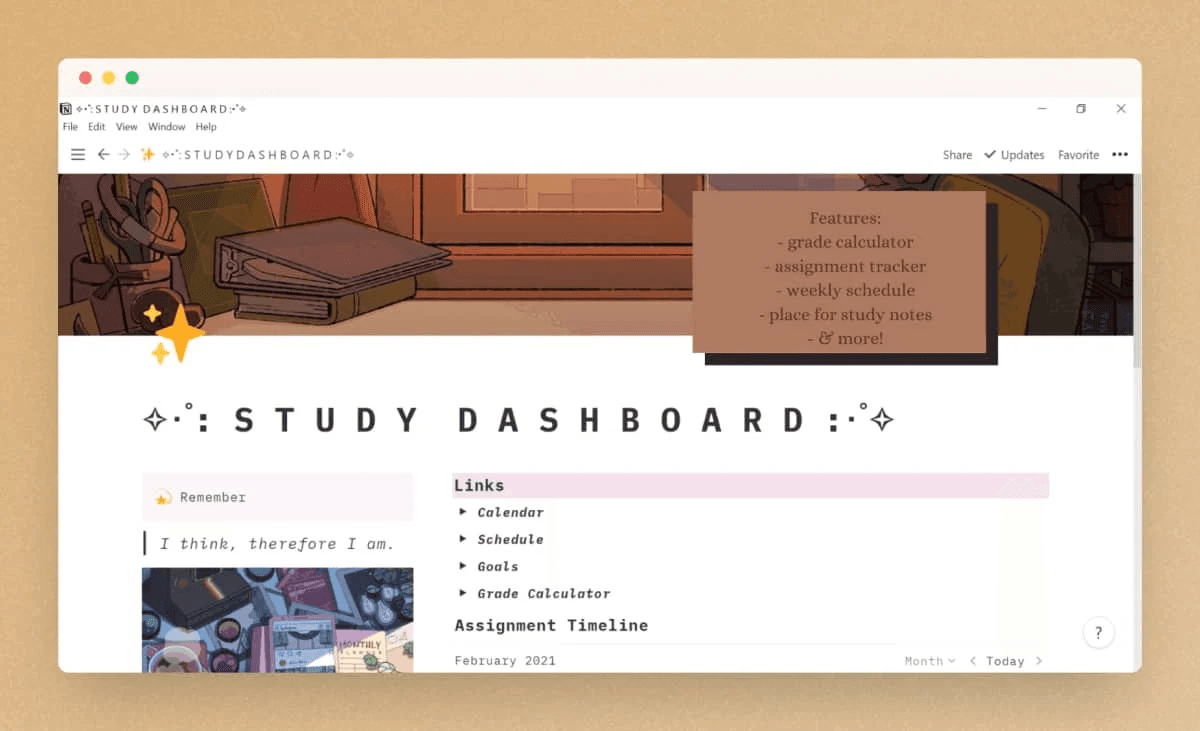
Aesthetic Notion banners are about disciplined restraint, not decoration: choose one clear focal idea, simplify supporting elements, and let color and texture do the tone-setting so your page content remains primary. When you design with rules, each banner becomes a reliable brand signal rather than a one-off experiment.
What Should I Keep as the Single Visual Anchor?
Think of the banner as a stage seen through a peephole: one object needs to read instantly. Use a single anchor, such as a soft luminosity point, a shallow blur behind an object, or a small geometric mark, and then let the negative space carry the rest. That reduces cognitive load and prevents visual competition with the title below, because your audience will only glance at the header before moving to the content.
How Do I Choose Color and Tone for Consistency?
Limit the palette to three tonal steps of your brand hue, plus one neutral, and decide which will play foreground, midground, and background roles. Pick luminance shifts over saturation jumps; lowering saturation by a predictable amount creates calm without losing identity. This is a practical habit that teams can automate: pick tokens for the base hue, two accents, and a wash, then lock those into templates so that every variant stays coherent.
Why Should Accessibility Guide Aesthetic Choices?
Color and contrast are not optional. Ensure sufficient contrast between any overlay (icons, avatars) and the banner backdrop, and prefer soft vignettes or low-opacity gradients to rescue legibility rather than adding heavy strokes. Accessibility is also a quality control shortcut: designs that pass contrast checks avoid late-stage rework and reduce review cycles.
The Friction of Manual Feedback
Most teams handle variations by exporting a handful of files and requesting feedback in threads, which feels low-friction and straightforward. As projects scale, that habit fragments direction, creates dozens of near-identical files, and turns consistent brand decisions into repeated, manual edits.
Rule-Based Variant Generation
Platforms like FLORA AI provide an intelligent canvas and rule-based variant generation, allowing teams to define style tokens once, run multi-model experiments, and produce hundreds of on-brand banners with versioned approvals, thereby cutting iteration time from days to hours while maintaining visual rules intact.
What Subtle Surface Treatments Add Depth Without Noise?
Microtexture is your friend when used sparingly: a 2% to 6% grain at low contrast, soft paper fibers at low opacity, or a barely-there bokeh can add tactility without drawing attention. For motion, a slow, looped micro-video that shifts light direction over 6 to 12 seconds reads as atmosphere rather than spectacle. Treat these as seasoning, not the main course.
How Do You Stop Decision Fatigue When Creating Dozens of Banners?
Build four compositional templates that vary only by focal alignment and texture, then batch-generate scaled variants that swap color tokens and accents. This creates predictable diversity that you can review quickly, rather than a free-for-all of custom files. The payoff is real: According to the 2sync Blog, over 70% of Notion users prefer custom banners to personalize their workspace, indicating that consistent systems deliver perceived value across teams and pages.
Can a Single Banner Actually Change Workflow Outcomes?
Yes, when visual systems reduce the time spent choosing and reconciling designs. Creating a custom Notion banner can increase productivity by up to 30%, according to the 2sync Blog, which suggests that investing a small amount of design discipline yields measurable time and focus. That simple improvement sounds solved, but the moment you try to produce hundreds of coherent banners, one bottleneck always appears and it changes everything about how you organize your toolkit.
Best Tools to Design and Resize Notion Banners
Flora AI
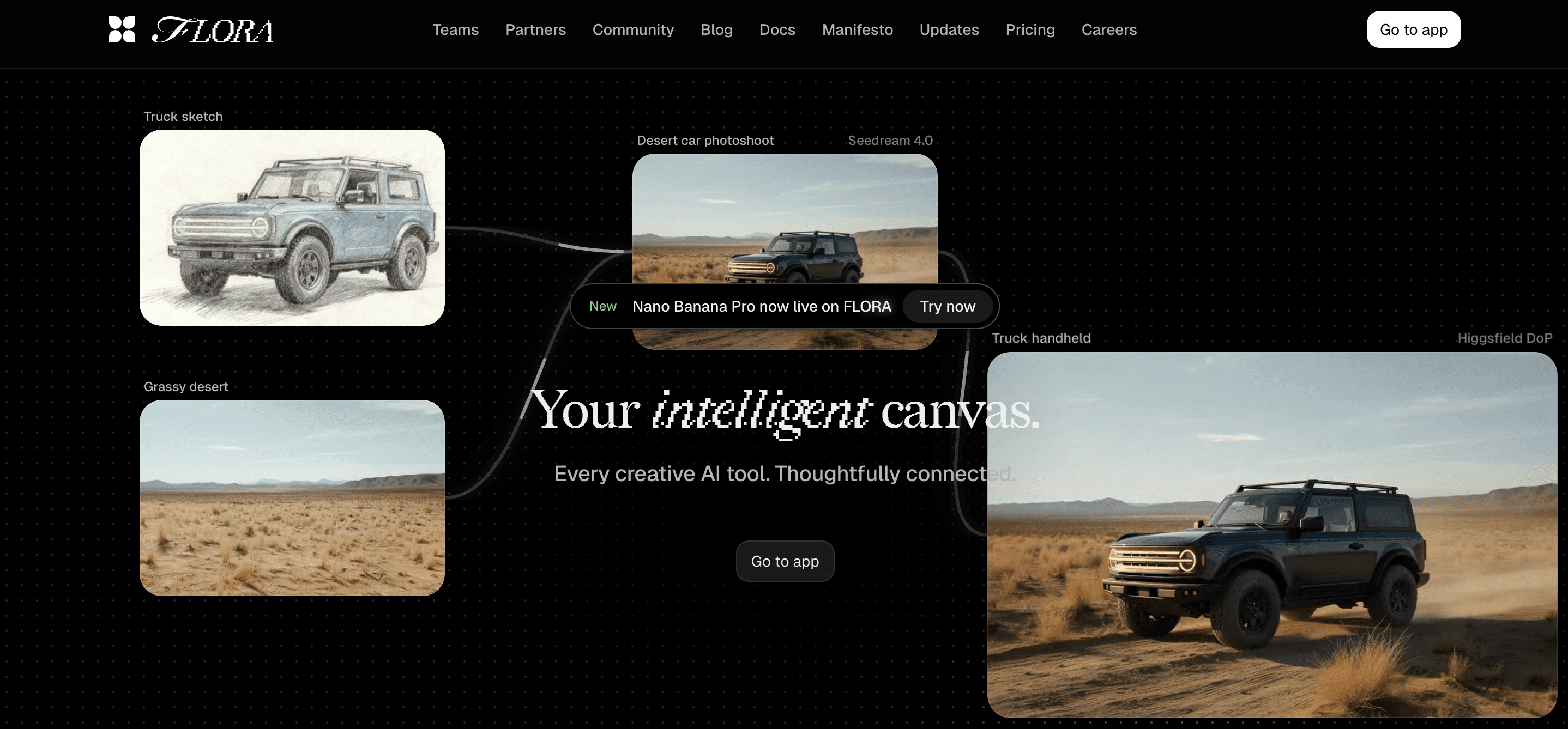
Specific experience: when teams need dozens of consistent banners across projects, the bottleneck is not creativity, it is coordination. Flora AI treats the banner constraint as an intelligent canvas, allowing you to encode style tokens, node-based layouts, and export pipelines in a single file, ensuring that every variant adheres to the same rules. Use it to:
Run multi-model experiments
Lock a center-safe zone
Bulk-generate color or texture swaps while preserving focal composition and metadata for approvals.
This reduces repetitive cropping decisions and maintains the authority of brand tokens as the asset set expands.
Canva
Pattern recognition: rapid stakeholders and tight deadlines reward speed over micro-precision. Canva wins when you need fast, consistent outputs from non-designers, thanks to brand kits, template libraries, and easy bulk-edit features. Use Canva for controlled customization, then push approved masters into your pipeline rather than rebuilding each time, so quick iterations do not create long-term chaos.
Figma and Photoshop
Constraint-based guidance: If pixel-perfect alignment, layered masks, or complex retouching matter, use Figma or Photoshop with automation. Figma plugins, such as batch export and responsive resize tools, let you produce device variants while maintaining a single source of truth. Photoshop actions or scripts automate repetitive tasks, such as cropping and format conversions. Reserve these tools for functions where you cannot tolerate quality loss, and keep them downstream of faster ideation tools so precision work does not become the gating factor.
Batch Resizing and Optimization
Problem-first: manual exports break under scale because file variants explode and quality drifts. Use ImageMagick or command-line scripts to automate deterministic resizing, then pass outputs to a CDN like Cloudinary for on-the-fly format negotiation and DPR handling. For local proofing, Squoosh or TinyPNG quickly identifies compression artifacts, and converting non-logo images to WebP improves delivery without visible loss if you care about how the frame feels across aspect changes, design exports with a safe crop, and test an alternate framing in a 16:9 aspect ratio to see how energy and flow shift on wider screens.
Status Quo Disruption
Most teams manage resizing with ad-hoc exports and shared folders because it is familiar and requires no new systems. That approach works well initially, but as the number of pages increases and the number of stakeholders grows, feedback becomes scattered, duplicate files proliferate, and minor alignment mistakes compound into inconsistent branding. Platforms like Flora AI centralize variant generation, enforce style rules, and automate exports, compressing review cycles while preserving a single authoritative asset for every banner variant.
What Breaks and How to Avoid Them
The usual failure mode is human drift: someone tweaks a local copy for a specific page, the change propagates to other pages, and suddenly, color shifts and type contrast differ across the workspace. The fix is simple and mechanical: maintain one master node per banner family, bake tokens for color and spacing into that node, and generate exports from the master. Think of the master as a conductor, not a final file, and treat each export as a performance of the same score.
A Quick Analogy to Remember
Designing banner variants is like printing a film negative at different paper sizes; you want one clean negative and many faithful prints, not dozens of slightly different negatives that fight each other in the archive. That works for tools, workflows, and automation, but the moment you try to put a freshly optimized variant into Notion, an unexpected mismatch often appears—and it changes what you need next.
Related Reading
How to Upload a Notion Banner/Cover
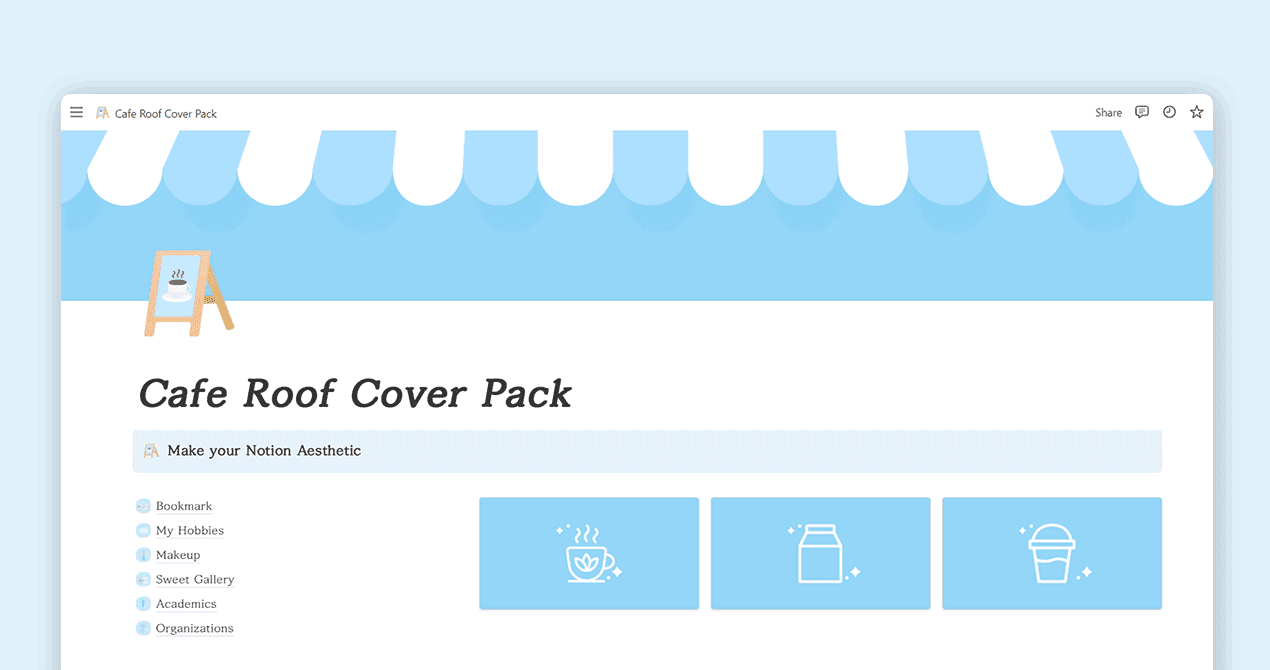
Start by hovering over the page title, clicking "Add cover," then hovering over the new image and selecting "Change cover" to choose "Upload," "Link," "Unsplash," or a built-in image. Finally, use "Reposition" to frame the part you want and save the position. That sequence gets a cover live in under a minute and gives you the four common input paths for any page.
How Do I Pick Where to Upload From?
Click Change cover and pick one of the options: Built-in images for quick mood fills, Upload to push a file from your computer, Link to paste a direct image URL, or Unsplash to search high-quality photography. When you paste a link, ensure it is a direct image URL and publicly accessible, as Notion fetches the file rather than your hosting page. More than 50% of users spend at least 10 minutes selecting the perfect Notion cover, according to the 2sync Blog, which explains why choosing the right source is crucial for both aesthetic appeal and workflow efficiency.
What if Notion Chooses an Awkward Crop?
Use Reposition, click and drag until the visual center reads correctly, then Save position. If dragging still hides key elements, crop the image in a simple editor to move the focal subject toward the center before uploading, then replace the cover. When we batch-checked problem cases across several workspaces, the fastest fix was a one-off crop that nudged the subject 10% to 20% toward the center, eliminating the need for repeated repositioning on every page.
How Do I Prevent Access or Format Issues with Link Uploads?
Link uploads fail when the URL is not a direct image, when the host blocks hotlinking, or when the image requires authentication. If Notion displays a blank or broken thumbnail, try switching to Upload or moving the file to a CDN or image host that serves the raw file URL.
Link Hygiene for Custom Banners
For files from shared drives, generate a direct image link rather than a folder link, and test it in a private browser window before you rely on it in production. According to the 2sync Blog, over 70% of Notion users prefer custom banners to personalize their workspace, so getting links right saves time and prevents frustrated rework.
What Little Checks Save You from Annoying Re-edits?
Name the file with a version token, keep a single master file for each banner family, and add a brief caption on the page if you need descriptive metadata, since Notion’s cover slot does not expose alt text. For quick proofing, open the page on your phone and laptop, and scroll the header into view to verify that the chosen crop reads correctly at both widths.
Master File for Variants
If you want deterministic results at scale, export one polished master, then produce named variants rather than repeatedly editing the same small file. Most teams add covers manually because it is a familiar and fast process. That works when you have a handful of pages, but as the number of templates, campaigns, and stakeholders grows, manual uploads compromise:
Consistency
Approvals slow down
Duplicate files proliferate
Bulk Variant Generation
Platforms like FLORA provide an alternative path, allowing teams to encode style tokens, generate on-brand variants in bulk, and export optimized files with metadata and versioning, which reduces manual reconciliation while maintaining consistent visual rules across every page. Think of the cover as a photo you frame for a specific window; a slight shift in the frame can change the whole story for the reader, so get the framing right once and lock it.
Related Reading
Try FLORA's AI-native Creative Canvas for Free Today
It can be exhausting when a single banner decision turns into days of back-and-forth and last-minute fixes. We recommend trying FLORA's AI playground for free to see if it streamlines your review process and keeps variants aligned.



"/><stop offset="1" stop-color="rgba(15, 15, 15, 0)"/></linearGradient></defs><path d="M 899.729 124.429 L 931.177 124.429 L 931.177 108.467 L 946.905 108.467 L 946.905 44.616 L 884.001 44.616 L 884.001 92.504 L 868.274 92.504 L 868.274 124.429 L 852.554 124.429 L 852.554 140.392 L 836.826 140.392 L 836.826 156.355 L 852.554 156.355 L 852.554 172.317 L 836.826 172.317 L 836.826 204.242 L 821.098 204.242 L 821.098 236.168 L 852.554 236.168 L 852.554 252.129 L 758.2 252.129 L 758.2 236.167 L 789.65 236.167 L 789.65 204.241 L 805.378 204.241 L 805.378 172.316 L 821.098 172.316 L 821.098 124.428 L 836.826 124.428 L 836.826 92.504 L 852.554 92.504 L 852.554 44.616 L 836.826 44.616 L 836.826 28.654 L 962.625 28.654 L 962.625 44.616 L 978.353 44.616 L 978.353 60.579 L 994.081 60.579 L 994.081 76.541 L 978.353 76.541 L 978.353 124.429 L 946.905 124.429 L 946.905 140.392 L 931.177 140.392 L 931.177 156.355 L 946.905 156.355 L 946.905 236.168 L 978.417 236.168 L 978.417 220.205 L 994.145 220.205 L 994.145 204.242 L 1009.865 204.242 L 1009.865 188.28 L 1025.593 188.28 L 1025.593 204.242 L 1009.865 204.242 L 1009.865 220.205 L 994.145 220.205 L 994.145 236.168 L 1025.593 236.168 L 1025.593 252.13 L 915.449 252.13 L 915.449 156.355 L 899.729 156.355 Z M 1135.672 172.317 L 1119.944 172.317 L 1119.944 76.541 L 1104.216 76.541 L 1104.216 92.504 L 1088.496 92.504 L 1088.496 108.467 L 1072.768 108.467 L 1072.768 92.504 L 1088.496 92.504 L 1088.496 76.541 L 1104.216 76.541 L 1104.216 60.579 L 1119.944 60.579 L 1119.944 28.654 L 1135.672 28.654 L 1135.672 60.579 L 1151.392 60.579 L 1151.392 236.168 L 1167.12 236.168 L 1167.12 252.13 L 1104.216 252.13 L 1104.216 236.168 L 1119.944 236.168 L 1119.944 188.28 L 1135.672 188.28 Z M 1072.768 124.429 L 1072.768 140.392 L 1057.041 140.392 L 1057.041 156.355 L 1041.321 156.355 L 1041.321 172.317 L 1025.593 172.317 L 1025.593 156.355 L 1041.321 156.355 L 1041.321 140.392 L 1057.041 140.392 L 1057.041 124.429 Z M 176.61 25.988 C 124.406 25.988 78.864 38.954 68.867 80.108 C 64.424 102.095 70.533 130.282 105.522 145.504 C 107.678 146.379 109.332 146.83 110.516 147.152 C 112.382 147.661 113.082 147.852 112.742 148.886 C 112.186 150.577 106.633 150.014 102.19 148.323 C 69.424 136.484 51.65 107.168 54.983 77.289 C 60.536 35.572 109.966 -1.636 179.387 0.056 C 202.713 0.056 238.812 5.692 273.246 15.276 C 293.795 20.914 321.009 28.243 346.555 34.444 C 369.881 24.86 392.096 18.659 411.534 18.659 C 425.628 18.659 438.846 21.919 444.414 28.654 L 537.86 28.654 L 537.86 44.616 L 506.41 44.616 L 506.41 60.579 L 490.685 60.579 L 490.685 92.504 L 474.959 92.504 L 474.959 124.429 L 459.233 124.429 L 459.233 172.317 L 443.508 172.317 L 443.508 220.205 L 427.783 220.205 L 427.783 236.168 L 522.135 236.168 L 522.135 220.205 L 537.86 220.205 L 537.86 204.242 L 553.586 204.242 L 553.586 172.317 L 569.311 172.317 L 569.311 204.242 L 553.586 204.242 L 553.586 236.168 L 537.86 236.168 L 537.86 252.13 L 364.881 252.13 L 364.881 236.168 L 396.332 236.168 L 396.332 220.205 L 412.058 220.205 L 412.058 172.317 L 427.783 172.317 L 427.783 140.392 L 443.508 140.392 L 443.508 92.504 L 459.234 92.504 L 459.234 44.616 L 444.157 44.616 C 437.338 52.415 419.206 55.303 394.318 55.303 C 379.323 55.303 357.108 53.048 349.333 51.92 C 337.67 63.196 325.452 77.853 314.9 90.82 C 305.307 102.032 297.996 111.856 290.818 121.501 C 284.281 130.284 277.855 138.919 269.914 148.323 C 283.798 148.886 298.794 147.759 309.901 143.812 C 320.454 129.155 333.783 122.39 342.669 124.645 C 351.554 126.9 350.444 135.92 337.67 145.504 C 335.4 147.26 333.256 148.887 331.193 150.453 C 322.659 156.932 315.515 162.356 306.569 171.436 C 304.66 173.374 302.994 175.312 301.571 176.968 C 299.269 179.646 297.602 181.584 296.572 181.584 C 293.24 182.148 294.351 172 296.572 166.363 C 299.349 159.597 302.126 154.524 304.903 150.577 C 295.462 153.396 284.91 154.524 266.026 154.524 C 264.938 155.812 263.791 157.222 262.545 158.751 C 259.978 161.904 256.993 165.569 253.253 169.745 C 204.381 225.557 123.85 256 71.645 256 C 29.993 256 0 239.087 0 212.591 C 0 193.987 12.774 175.947 34.99 175.947 C 53.317 175.947 61.092 188.349 60.537 200.188 C 59.981 208.644 57.204 213.718 51.651 219.92 C 47.763 224.429 44.431 228.376 44.431 234.013 C 44.431 243.597 52.762 249.798 68.867 250.362 C 111.631 253.181 142.177 234.013 176.61 195.678 C 190.494 180.456 200.491 168.054 210.488 153.96 C 198.27 153.96 186.607 153.96 179.943 154.524 C 172.902 154.799 168.37 155.744 165.639 156.313 C 162.768 156.912 161.886 157.096 162.17 155.652 C 162.726 153.396 167.724 149.45 184.385 148.323 C 188.537 147.94 196.791 148.077 204.443 148.204 C 208.052 148.264 211.528 148.323 214.375 148.323 C 222.151 137.611 231.037 125.772 242.7 113.37 C 264.915 89.128 294.35 65.451 323.23 47.411 C 307.124 45.719 281.021 40.645 263.804 37.263 C 239.923 32.753 203.268 25.988 177.166 25.988 L 176.61 25.988 Z M 365.438 39.518 C 386.542 45.156 403.204 46.847 413.2 46.847 C 427.64 46.847 440.969 42.336 441.524 36.136 C 442.08 29.37 428.751 24.296 410.979 24.296 L 410.423 24.296 C 394.317 24.296 375.435 32.753 365.438 39.518 Z M 711.023 252.129 L 616.672 252.129 L 616.672 236.167 L 600.946 236.167 L 600.946 220.204 L 585.221 220.204 L 585.221 108.466 L 600.946 108.466 L 600.946 76.54 L 616.672 76.54 L 616.672 60.578 L 632.396 60.578 L 632.396 44.616 L 663.847 44.616 L 663.847 28.654 L 758.2 28.654 L 758.2 44.616 L 773.924 44.616 L 773.924 60.579 L 789.65 60.579 L 789.65 172.317 L 773.924 172.317 L 773.924 188.28 L 758.2 188.28 L 758.2 220.205 L 742.474 220.205 L 742.474 236.168 L 711.023 236.168 Z M 663.847 44.616 L 663.847 60.579 L 648.122 60.579 L 648.122 76.541 L 632.396 76.541 L 632.396 108.467 L 616.672 108.467 L 616.672 220.205 L 632.396 220.205 L 632.396 236.168 L 695.298 236.168 L 695.298 220.205 L 711.023 220.205 L 711.023 204.242 L 726.749 204.242 L 726.749 188.28 L 742.474 188.28 L 742.474 156.355 L 758.2 156.355 L 758.2 60.579 L 742.474 60.579 L 742.474 44.616 Z" fill="url(%23k7ftP17bN-2050371890-linear-gradient)" height="255.9995555606772px" id="k7ftP17bN" width="1167.1199228535695px"/></svg>)