Nov 5, 2025

FLORA
Picture this: your Twitch channel looks polished while live, but the banner shows up cropped or blurry on mobile. Getting banner size right means understanding header dimensions, safe area, aspect ratio, resolution, and file limits, so your channel banner displays correctly across desktop and mobile devices. This article breaks down Twitch banner size requirements and provides design tips for creating effective banners, offering clear steps and examples to help you build a stronger channel brand and avoid common mistakes.
To help, Flora AI's AI playground offers templates, automated size checks, and simple mockups, allowing you to test banners, tweak layouts, and export images that meet Twitch requirements.
Summary
Get the canvas right by using a 1200 x 480 pixel image with a 5:2 aspect ratio, and keep key elements centered so that nothing important is cropped on mobile or in apps.
Export with web-friendly settings, targeting a resolution of 72 to 150 DPI and keeping the file size below 10 MB, while avoiding over-compression that causes banding or softened text.
Design around safe zones and a modular layout, as using safe zones can increase ROI by up to 25%, and mobile-optimized creatives drive 80% higher engagement.
Visual polish has a direct influence on behavior, with 75% of Twitch users being more likely to follow a channel featuring a professional-looking banner and custom headers, resulting in a 30% increase in viewer retention.
Make testing systematic, not ad hoc, by validating across a QA matrix of three resolutions, two UI chrome states, and one standard mobile emulator to catch cropping and legibility failures.
Plan for scale with tokenized treatments and export rules, for example, lock headline and color tokens, swap imagery across three crops, keep raster backups at 2x, and enforce a minimum stroke size of 2 to 3 pixels for legibility.
Flora AI's AI playground addresses this by providing templates, automated size checks, and device preview mockups, allowing teams to test banners, tweak layouts, and export images that meet Twitch requirements.
The Correct Twitch Banner Size

Use a 1200 x 480 pixel image, set to a 5:2 aspect ratio, saved as a high-quality JPEG, PNG, or non-animated GIF, so the header stays sharp across devices. Keep essential elements centered to prevent them from vanishing off-screen. The industry recommendation comes from the Snappa Blog, which suggests a 1200 x 480 pixel banner size to strike a balance between clarity and Twitch’s interface constraints.
How Should I Size and Format the File?
Save at the native 1200 x 480 pixel canvas, export at 72 to 150 DPI for web use, and avoid over-compression that creates banding around gradients. Twitch accepts JPEG, PNG, and GIF formats, and the uploaded file size must remain below the maximum file size specified by Snappa.
If you must reduce file size, selectively lower JPEG quality, flatten complex layers, or export with PNG-8 for flat-color artwork, rather than indiscriminately resampling the whole image.
Why Does Exact Pixel Size Matter Beyond Rules?
Viewers make a split-second judgment about professionalism, and a stretched or pixelated header signals sloppiness faster than most realize. When an image is off by even a few pixels:
Compression artifacts appear on bright gradients
Text becomes soft
Logos lose their weight
Think of your banner like a shopfront sign: if the dimensions are wrong, your name reads like a blur from the curb.
What Happens to Banners on Different Devices?
Twitch displays the full banner on desktop, but on mobile and apps, it crops the edges depending on screen proportions and UI overlays. That means the visual field you design for is effectively variable across viewers, so test at common widths and aspect ratios rather than assuming a single viewport.
Also, account for how dark or light the UI chrome will appear over your imagery, as contrast shifts with Twitch’s browser and app themes.
The Scaling Trap
Most teams handle banner work by exporting a single master file and then manually creating variants for events, panels, and seasonal art. This feels normal because it is simple to do early on. As channels scale, that approach:
Fragments effort
Slows approvals
Leaves version control to email and ad hoc folders
Hundreds of On-Brand Variations from One Prompt
Platforms like FLORA offer a different path, enabling teams to generate hundreds of on-brand banner variations from a single prompt, maintain consistency in style and subject through connected models, and iterate in real-time, reducing review cycles from days to hours while maintaining production-grade quality.
How Should You Validate Before You Publish?
Open the banner in a browser at native size, then check it in mobile device emulators and on an actual phone to confirm cropping and legibility. Look for tiny details that break under compression, such as thin stroke text or small iconography, and test darker and lighter UI themes if possible. Keep a source file with editable layers so you can quickly re-export for promotions or updates.
Design is a small set of precise choices, not a long list of tricks, and those choices determine whether your channel reads as intentional or accidental. That makes what comes next quietly urgent and unsettling.
Related Reading
Safe Zones and Layout Tips
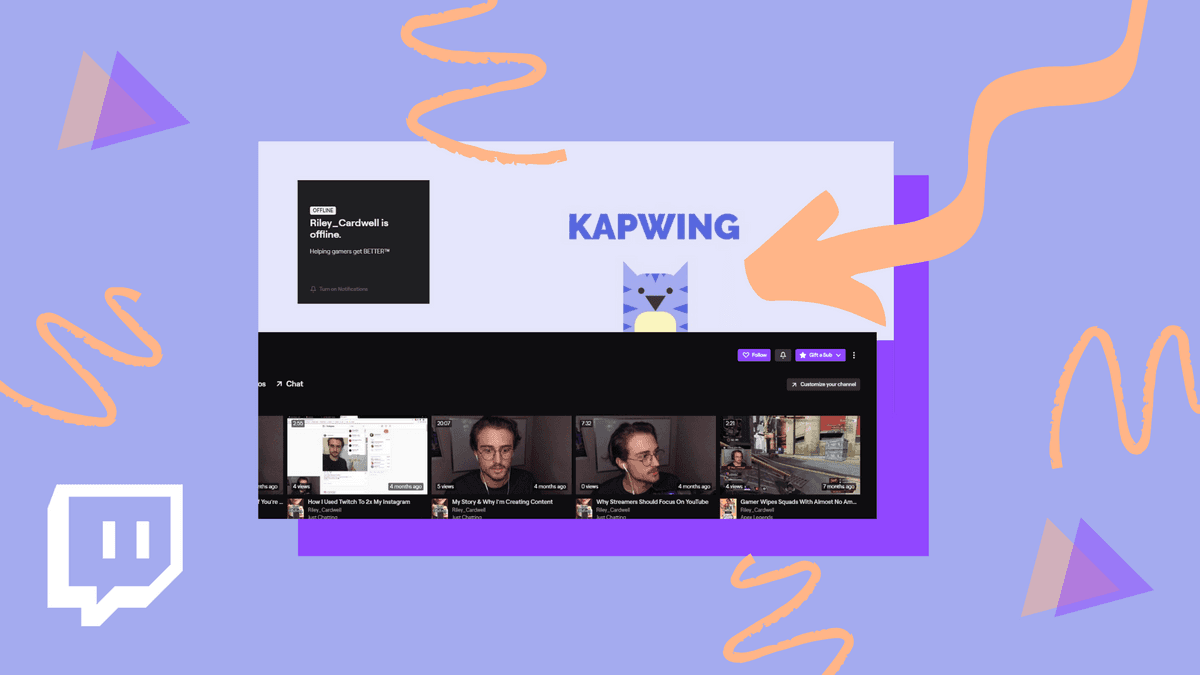
Safe zones are the practical control you use to keep identity intact as Twitch crops and scales images, and thoughtful layout decisions let that control scale with complexity. Treat the safe zone like a physical mark on a stage, then design systems around that mark so every variation, animation, or seasonal skin still hits the same cue.
How Do You Structure a Banner to Survive Unexpected Crops?
Use a responsive grid tied to anchor points, not fixed pixel placements. Build your composition from concentric modules:
A tight central module for the brand mark and headline
A secondary ring for essential icons or CTAs
Outer bleed layers for decoration
When you change aspect ratios, swap or hide entire modules rather than nudging single elements, because modular swaps preserve visual intent faster than fiddly alignment fixes.
What Typography and Stroke Rules Stop Letters from Collapsing?
Choose typefaces with robust x-heights and avoid hairline weights for body or headline copy, then lock a minimum readable size for the exported pixel density you expect. For logos and icons, export simplified vector outlines and a raster backup at 2x so strokes do not thin out under compression.
Think in real device pixels: on low-density screens, a 1-point stroke can vanish, so target at least 2–3 pixels at your standard export scale.
How Should Imagery and Composition Adapt to Variable Viewports?
Place faces, eyes, and primary subject matter inside the primary module; let backgrounds shift. Use depth to your advantage, layering a shallow focal plane in the safe zone while pushing textures and gradients into the bleed. If you need motion or parallax, confine animated elements to inner modules so cropping never turns movement into a visual distraction.
Why Does Testing Need to Be Methodical, Not Occasional?
Random spot checks create false confidence. Build a small QA matrix: three resolutions, two UI chrome states, and one emulator for the most common mobile device your audience uses. Automate the capture of screenshots for each variant to quickly compare visual regressions across campaigns and identify lost pixels before they go live.
The Hidden Cost of Manual Variants
Creating manual variants is effective when the update frequency is low, and this familiarity enables teams to continue moving forward without new tools. However, as cadence increases, the hidden cost becomes apparent: duplicated efforts, inconsistent styling across dozens of crops, and review cycles that stretch because every change requires re-exporting and re-approval.
Platforms like AI Playground centralize variant generation and previewing, allowing teams to produce consistent, production-grade banner families in minutes and reduce the manual churn that slows campaign velocity.
What Naming and Export Practices Save Hours Later?
Adopt a deterministic naming scheme that encodes purpose, module, and crop type, for example: campaign_brand_primary_1200x480_v2. Commit to a single, editable master file with clearly labeled groups for each module, allowing you to script batch exports. Use automated visual diffs to flag unexpected shifts between versions rather than relying on memory.
Why Does Layout Clarity Move Numbers, Not Just Aesthetics?
Because visual safety is measurable and protecting your core content improves commercial outcomes, Adsmurai reports that using safe zones in ad design can increase ROI by up to 25%, demonstrating that disciplined design is effective in converting.
Also, remember that mobile-first visibility drives engagement, as Adsmurai found 80% of users engage more with ads optimized for mobile devices a potent reminder to validate small-view layouts first.
A Quick, Practical Visual Trick
When creating a master, overlay a translucent grid that marks module bounds and export that grid as a reference layer. During review, toggle the reference on and off to see what remains legible when cropped. If the brand falls outside the grid, revise the module; do not scale the element down to fit.
Unifying Text, Image, and Video Generation
FLORA is the first AI-native creative canvas that unifies text, image, and video generation in one infinite AI playground. Built for professional teams, it replaces the chaos of jumping between tools with a powerful, node-based system that gives you complete control over your creative process.
This solution seems tidy until you realize the next design problem is quietly more complex than you expect. Try FLORA's AI playground for free today!
How to Design a Twitch Banner That Works
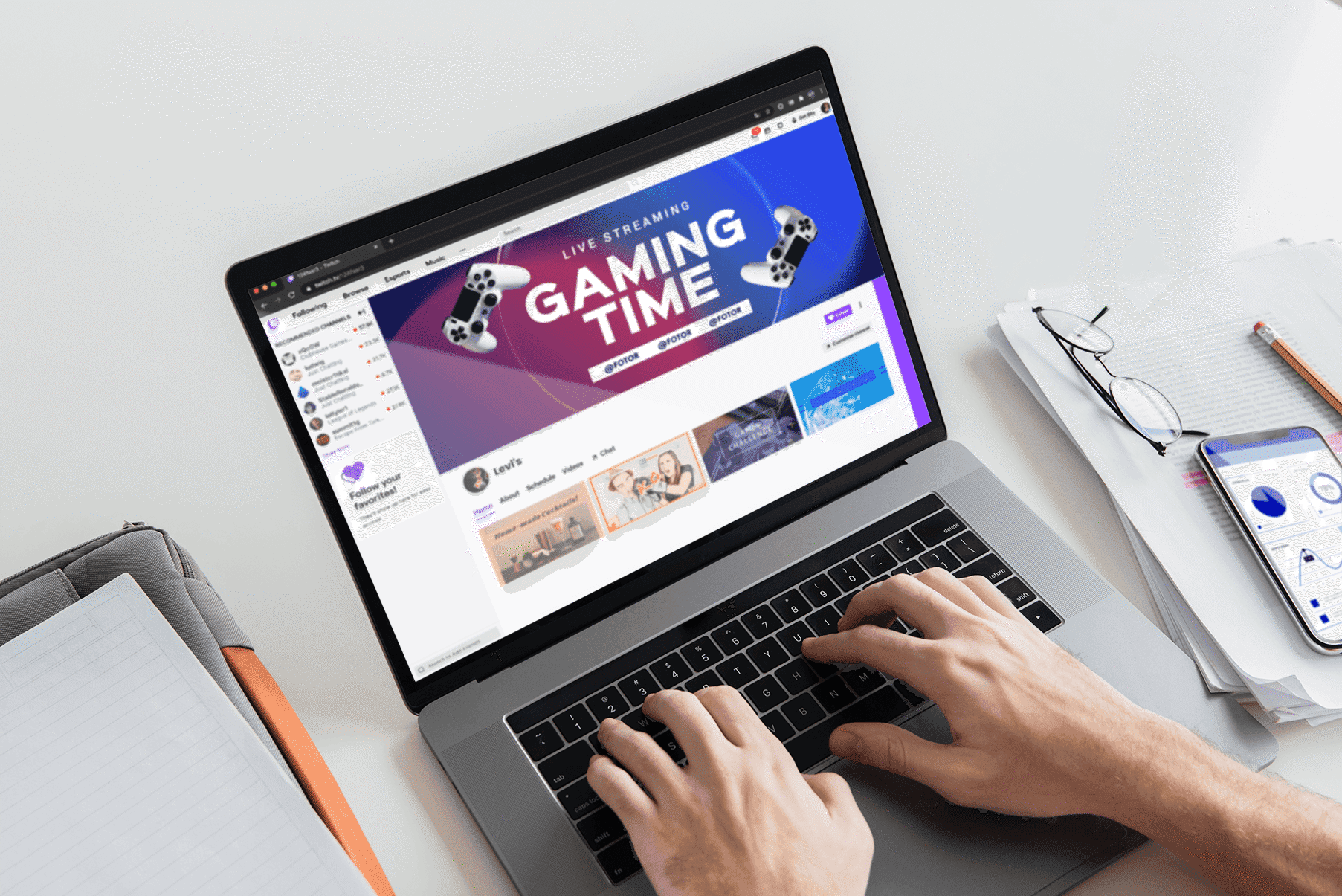
Design a Twitch banner that functions as a single, measurable marketing asset. Make the visual decision communicate identity, content type, and an explicit following action, then create repeatable variants that can be tested. Focus less on decoration and more on clarity, contrast, and a predictable visual hierarchy, so that every impression either earns a follow or teaches you something about your audience.
Why Should Your Banner Feel Like a Movie Poster Rather Than a Collage?
A poster states one idea clearly, then supports it with an image, typography, and a single tagline. Use a dominant visual to set the mood, a clear channel name as the headline, and one short line of context or personality beneath it. Keep decorative elements outside the headline area so they add atmosphere without competing for attention.
How Do I Choose Colors That Work for Viewers with Different Visual Needs?
Choose a palette with deliberate contrast and at least one anchor color for text and icons. Test color pairs using a simple contrast tool, aiming for readable text against every background treatment. Also create one high-contrast variant specifically for color-blind checks and low-light viewing, because small accessibility wins directly protect legibility and follow intent.
What Typography Choices Help Voice and Recall?
Pair one headline face that carries personality with a neutral support face for context lines. Use weight and spacing to create a quick scan path, so the eye moves smoothly from the name to the tagline to the visual cue. Treat letter spacing and line length as voice signals: use tight and compact spacing for high-energy streamers, and open and airy spacing for calm or creative channels.
Where Should You Put Calls to Action or Social Icons Without Cluttering the Design?
Place micro-CTAs and social icons as secondary elements in a visible but quiet zone, using consistent icon shapes and limited color accents. The goal is recognition, not demand. If you want followers, let the headline and tagline do the persuasive work, and use icons as confirmation.
What Do You Measure to Know a Banner is Working?
Track follow-up conversions and short-term engagement, then compare the variants. Research from The Gaming Glitch reveals that 75% of Twitch users are more likely to follow a channel with a professional-looking banner, underscoring the significant influence professional headers have on follow decisions.
Also, prioritize retention metrics when you swap styles, as The Gaming Glitch found that channels with custom banners see a 30% increase in viewer retention—a clear sign that branding choices shape watching behavior, not just first impressions.
What Creative Process Scales When You Need Dozens of Versions?
Most teams create each variant by hand because it feels immediate and straightforward. That familiar approach works at a low cadence, but as campaigns multiply, it fragments decisions and slows approvals, causing an inconsistent voice and wasted hours reconciling minor differences.
Platforms like FLORA provide an alternative; teams find that the unified canvas and connected models let them generate hundreds of on-brand banner variations from one prompt, compressing iteration cycles and maintaining consistent style as the number of deliverables grows.
How Do You Preserve a Clear Brand Voice Across Seasonal or Event Skins?
Define a small set of modifiable tokens, such as headline treatment, color accent, and image mood, and then swap those tokens instead of rebuilding the entire composition. Think of tokens as interchangeable lenses, not one-off edits. This keeps every variant recognizable while letting you test new hooks quickly.
How Do You Avoid Common Creative Blind Spots When Iterating?
Treat feedback as hypotheses, not edits. Record what changed between versions, what you measured, and what the data said. Run one-variable tests to determine whether a color shift or a different tagline had an impact. Over time, you build a library of small, causal rules that make future design decisions faster and more certain.
Design Detail That Matters in Practice
Use a centered focal plane for faces or logos and leave atmospheric texture outside that plane, so cropping or UI overlays never steal the message. Prefer subtle overlays to brute contrast fixes, as overlays preserve the background texture while protecting the type. And when choosing imagery, favor single-subject shots with a clear point of interest; they read faster and reduce cognitive load for new viewers.
Think of your banner like a short commercial: one promise, one identity, a straightforward invitation. That tidy process is only the beginning; what designers discover next often reveals a surprising operational bottleneck that actually blocks consistent improvement.
How to Upload or Change Your Twitch Banner
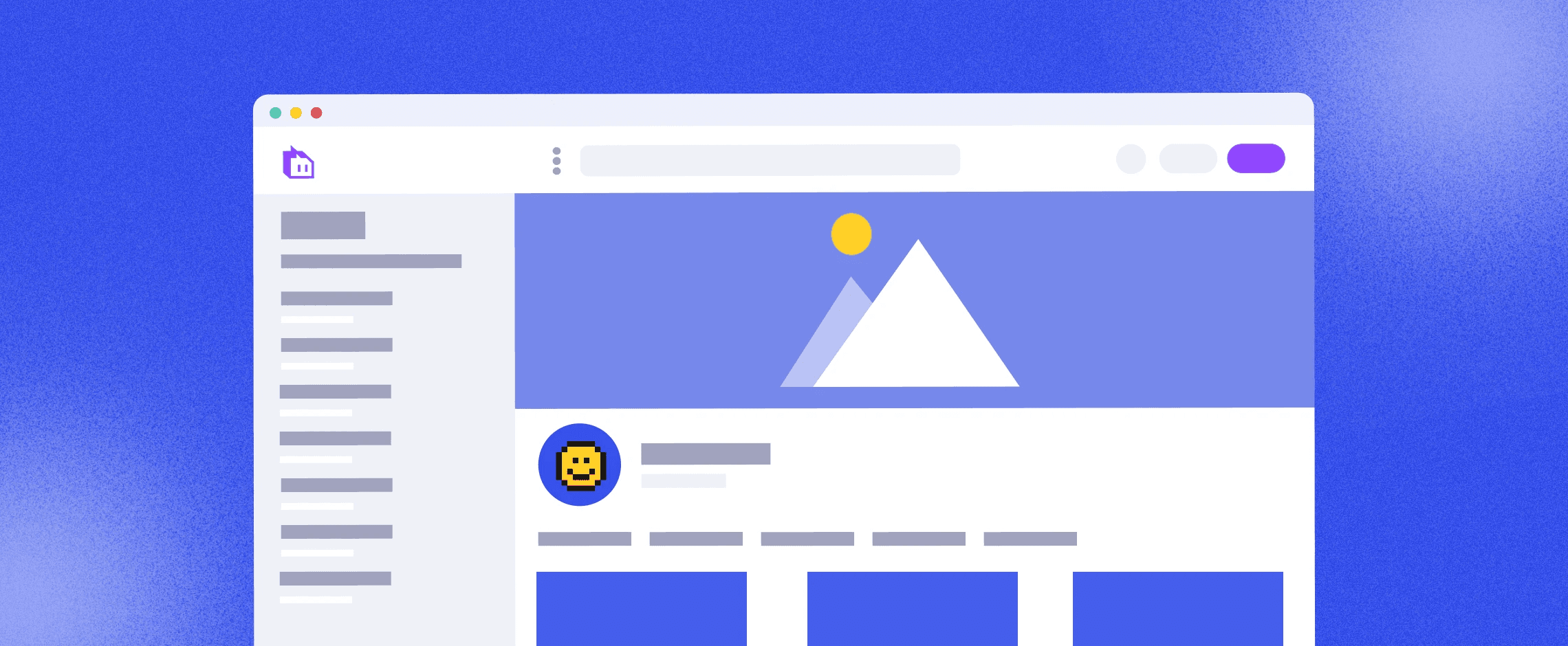
You can change your Twitch banner from two places: the channel page and the Creator Dashboard. Both let you switch the profile banner from the generated background to a custom image, upload a file, and save the change. The process is quick, but the places you choose to work and how you coordinate with others will determine whether it stays quick or turns into repeated fixes.
Which Method Should I Use?
For a one-off update, the channel page path is the fastest, because it takes you straight to the visual controls. If multiple people need to access channel settings, use the Creator Dashboard so changes can be coordinated with other channel controls and roles. Choose the path that matches who touches the asset, not which one sounds nice.
Why Might My Upload Fail or Not Show?
This problem is usually a simple sequence error or a visibility lag. A typical pattern across new channels is missing the toggle that switches from the default generated background to uploading your own image, or forgetting to click Save after upload, which forces a re-do and absolute frustration.
Additionally, expect short propagation delays or local caching to hide the new image for a few minutes temporarily. Therefore, verify the update in a private browser window or on another device before reworking the file.
Who Can Upload a Banner for a Channel?
If you control the account, you can change the banner. When teams share responsibility, coordinate credentials, or use roles that grant editors access, because unauthorized uploads or competing changes can create version confusion. This is why channels that treat banner updates as ad hoc tasks often end up with mismatched art across events.
What Troubleshooting Steps Fix Most Problems?
First, confirm you completed the upload flow and hit Save. Then test in an incognito window or another browser to rule out cache. If you use a team tool or shared credentials, confirm the person uploading has the proper account access and two-factor authentication does not block the session.
If a change still doesn’t appear after a short wait, logging out and back in usually forces the account to refresh the channel's assets.
The Cost of Increasing Cadence
Most teams handle uploads manually, and that works until the cadence increases. The familiar approach is single-file uploads through the dashboard because it is immediate and requires no new tooling. The hidden cost is that as frequency and stakeholder count increase:
Decisions become fragmented across messages
Duplicate uploads occur
Review cycles lengthen
Platforms like FLORA provide a bridge: teams find that a unified canvas and connected models enable them to generate numerous on-brand banner variations from a single prompt, compressing review cycles from days to hours while maintaining consistent style.
Does the Header Matter Beyond Aesthetics?
Yes, it does. Research from The Gaming Glitch (2025) indicates that 50% of viewers decide to follow a channel based on its visual branding, while 75% of Twitch users are more likely to follow a channel with a professionally designed banner. These findings highlight how a polished header can turn a casual visit into a lasting follower. In other words, the upload step may seem small, but its impact is measurable.
A Quick Operational Analogy to Make This Practical
Think of uploading as swapping a billboard in heavy traffic, not changing a poster in a locker room—timing, who has the keys, and whether the replacement fits the mounting matter. When you treat uploads as an operational task with check steps, you avoid repeated fixes and maintain a consistent, intentional look for your channel.
That simple change feels done, until you discover the one coordination problem nobody talks about.
Related Reading
6 Best Tools for Designing Effective Twitch Banners
1. Flora AI
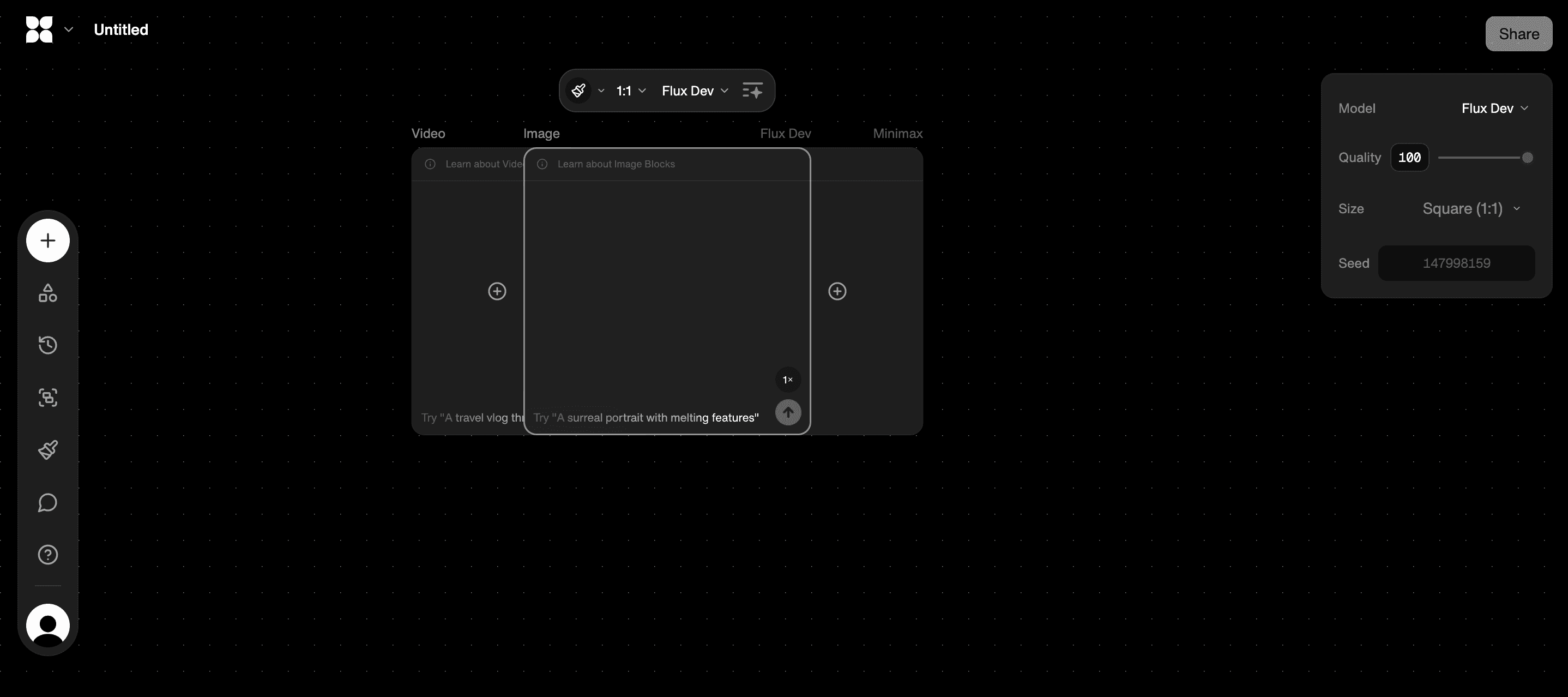
Flora AI is designed for teams that need speed, consistency, and scale. Its node-based canvas treats each visual decision as a discrete, reusable unit, so you can lock a headline treatment, swap background moods, or regenerate imagery across dozens of crops without rebuilding the whole file. That node model makes it easy to preserve a channel’s look while testing new hooks, because you change tokens, not layouts.
Real-Time Collaboration and Consistency
Flora supports real-time collaboration, version history, and over 50 connected models that can generate text, image, or motion assets from the same prompt, which turns one idea into hundreds of consistent banner options. Use Flora when you need repeatable output for:
Seasonal skins
Partner promos
Multi-host channels
Think of it like an assembly line for brand decisions, not a single handcrafted poster.
2. Adobe Spark
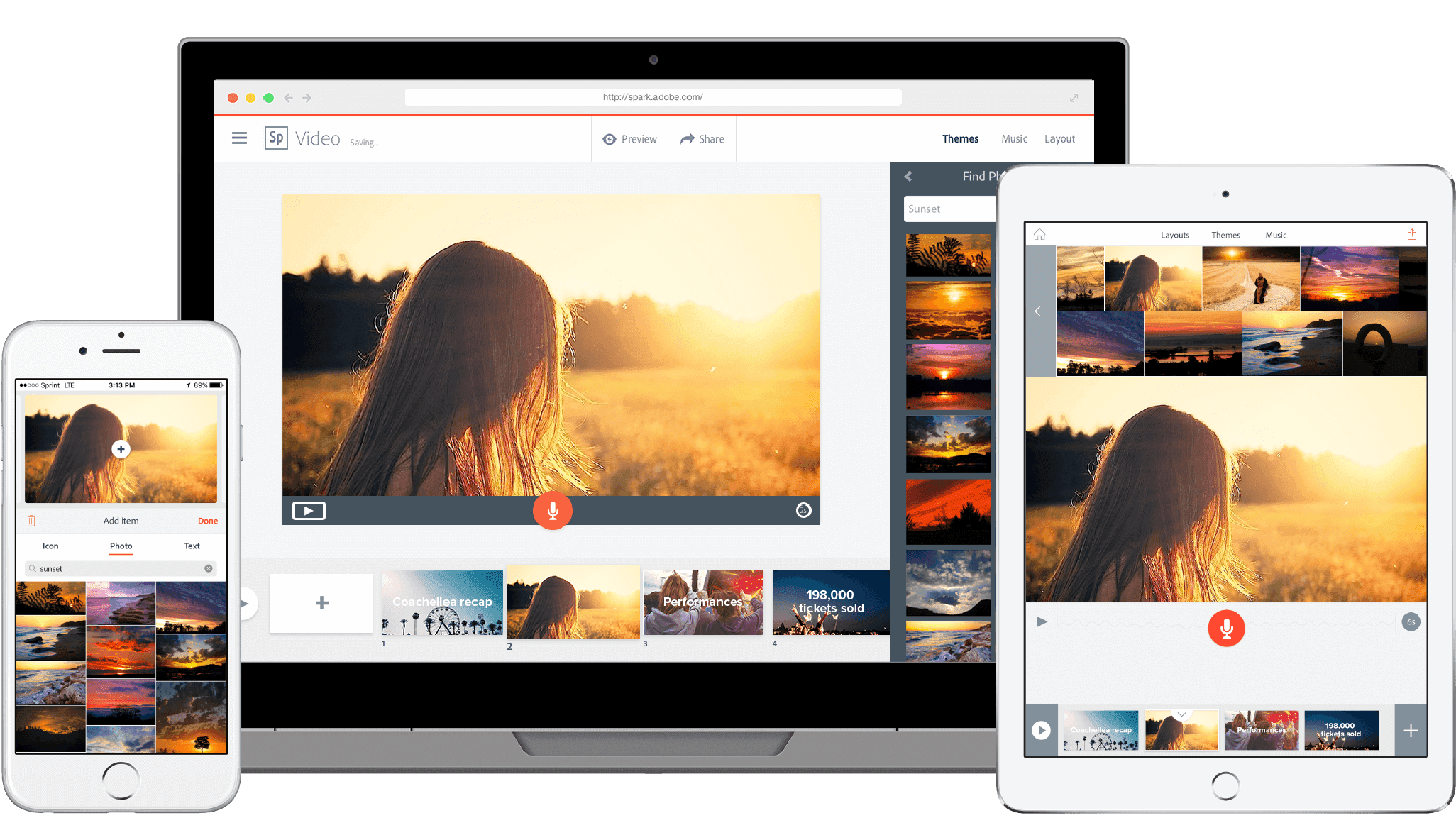
Adobe Spark is the fastest path to a clean, free banner when you want an immediate, human-friendly editor. It allows you to resize text, add transparency, apply filters, and export in standard formats without a steep learning curve. The pro of Spark is immediacy: designers and non-designers can iterate headlines and visual effects in minutes, making it ideal for small creators who update banners rarely.
The tradeoff is control at scale: there is less automation for creating dozens of consistent variants, and stock asset licensing and export automation are limited compared with paid toolchains.
3. Canva
Canva wins when you need templates, speed, and a predictable drag-and-drop flow. Templates, animations, and a vast asset library enable you to create a polished banner in minutes. When we standardized creative tokens for small streaming teams, Canva allowed non-designers to apply a locked headline and replace imagery without breaking the layout, which cut turnaround on simple updates from days to hours.
Limitations show up as soon as you need production-grade consistency across many crops: template edits can drift, and manual exports multiply. For one-off and low-cadence channels, Canva is the pragmatic choice.
4. Snappa
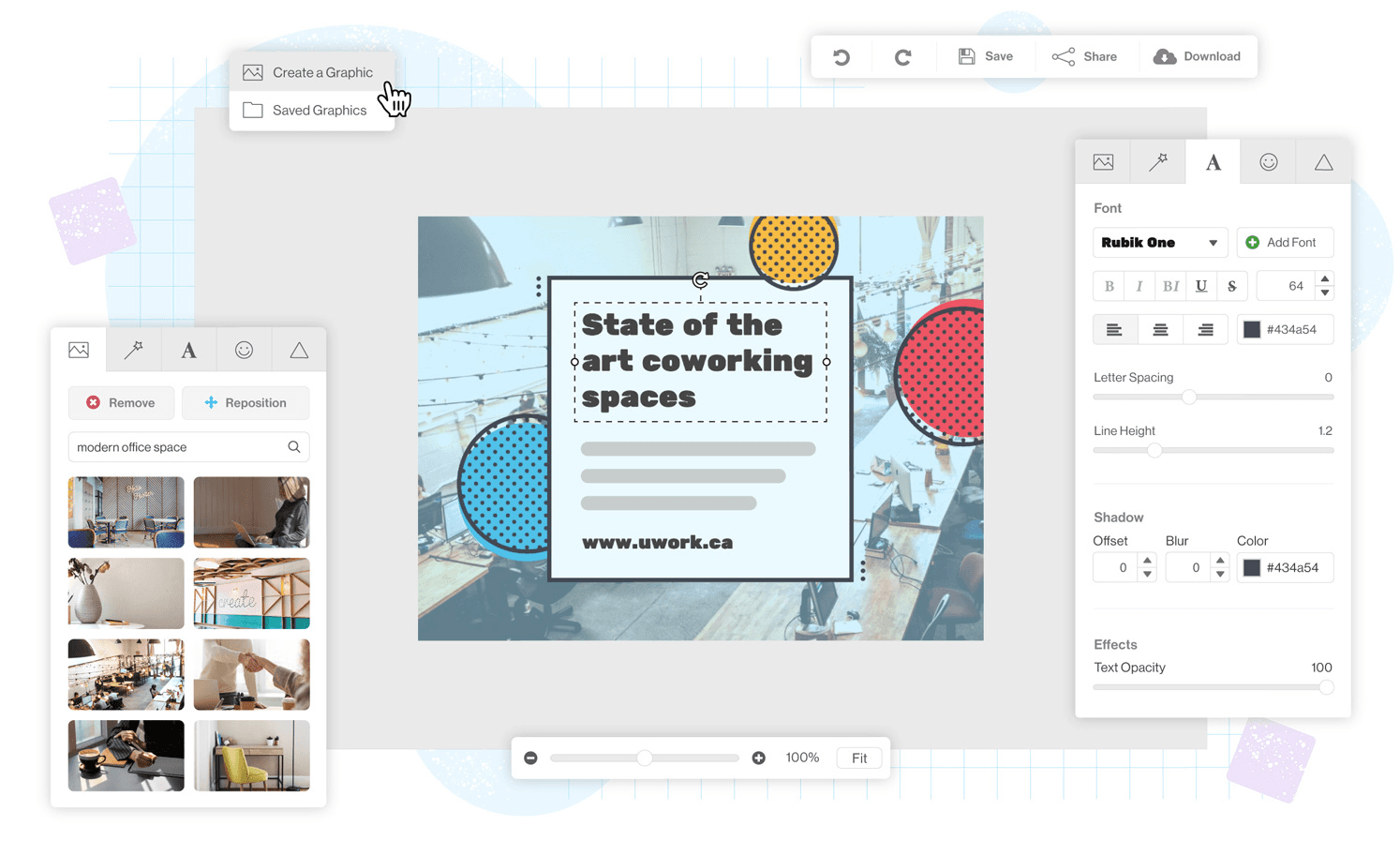
Snappa is a lightweight banner maker built around templates and a simple free workflow. It is beneficial if you want a clean header with minimal fuss and no subscription obligations. Snappa’s advantage is immediacy, combined with a small, focused toolset that reduces decision fatigue.
The downside is fewer enterprise features, including no deep node-based reuse, limited team collaboration, and reduced ability to batch-generate variations for campaigns that require strict brand control.
5. Fotor
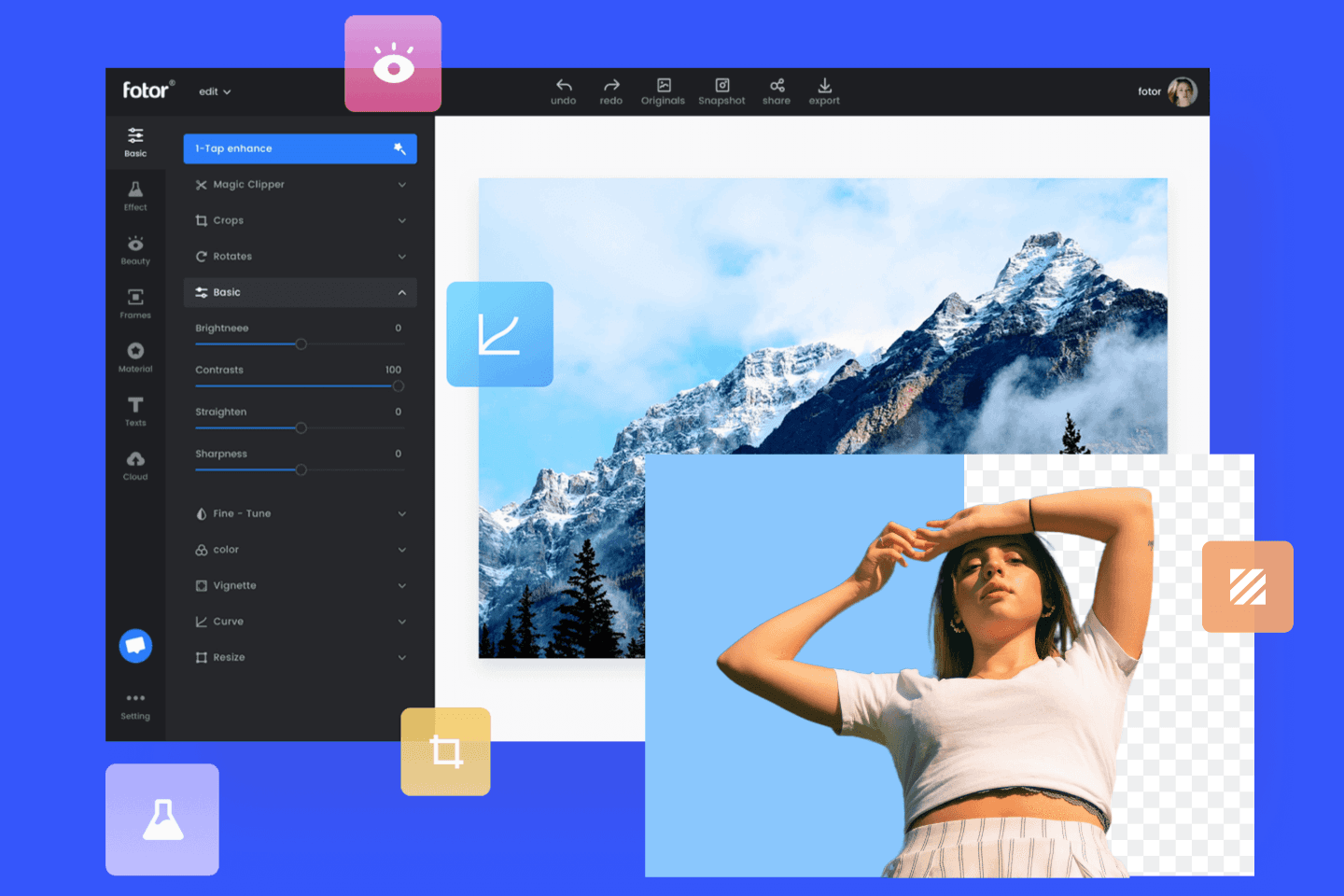
Fotor acts like a midweight creative studio in the browser, with tools for banners, overlays, and the supporting screens every streamer needs: offline, starting soon, and BRB. It’s valuable when you want a single place to produce every channel asset and keep a consistent visual thread across them.
Use Fotor when your priorities include asset breadth and flexible templates, but expect more manual work if you try to scale dozens of variants with precise, repeatable tokens.
6. Pixelied
Pixelied focuses on removing the Photoshop barrier, allowing creators with no design background to craft custom graphics quickly. It streamlines subscription complexity by offering straightforward export flows and template locking, which help smaller teams avoid version chaos. The strength is frictionless, low-skill production; the limitation is that advanced automation, model-driven generation, and team workflows are not as powerful as a node-based canvas.
Most teams handle banner edits the old way because it is familiar and immediate. That approach works when updates are occasional, but as campaigns expand and stakeholders multiply:
Feedback becomes fragmented
Versions proliferate
Review cycles lengthen
Platforms like Flora AI provide an alternative path by centralizing generation, preserving brand tokens, and compressing review cycles from days to hours while keeping consistent, production-grade outputs.
Practical Tradeoffs to Weigh Before You Choose
If you need one-off speed, pick a template-first editor that minimizes clicks.
If you care about version control and collaboration across partners, choose a node-based or team-enabled canvas.
If budgets or subscriptions are the constraint, favor tools with generous free tiers, but plan for a migration when the cadence increases, as manual exports become costly over time and prone to mistakes.
On Legal and Operational Details You Should Not Skip
Check stock licensing and contributor terms before publishing, particularly if you monetize or accept brand deals; free assets often come with usage limits. Also, verify the export formats for overlays or animated panels, and confirm whether the tool stores editable masters. Keeping a single source of truth saves hours when you need new crops.
A Human Truth to Hold Onto
It is exhausting when design work multiplies faster than your team can approve it; the emotional payoff comes from systems that reduce repetitive approvals, allowing creators to focus on their voice, not file versions.
Personalization Drives 30% Higher Engagement
According to the Abyssale, streamers who use personalized banners experience a 30% increase in viewer engagement, demonstrating how customization directly influences behavior—important when deciding how much time to invest in a single banner. For first impressions, The Gaming Glitch (2025) found that 75% of Twitch users are more likely to follow a channel with a professional-looking banner.
What to Try Next, Fast
If you want to preserve a clear channel voice as you scale, consider testing a small token system now: lock the headline treatment, lock the color accent, and swap imagery across three crops to see which change drives the most engagement. That low-effort experiment reveals whether you should prioritize a lightweight editor or invest in a canvas that scales.
That quick win feels complete, but the next decision is the one that actually determines whether you stay consistent as you grow.
Try FLORA's AI-native Creative Canvas for Free Today
If you want to streamline your workflow and collaborate on Twitch banners in real time, FLORA’s AI Playground helps teams move from concept to cohesive banner families faster. Over 10,000 users have already tried FLORA’s AI-native Creative Canvas, with 90% reporting a measurable boost in productivity.


"/><stop offset="1" stop-color="rgba(15, 15, 15, 0)"/></linearGradient></defs><path d="M 899.729 124.429 L 931.177 124.429 L 931.177 108.467 L 946.905 108.467 L 946.905 44.616 L 884.001 44.616 L 884.001 92.504 L 868.274 92.504 L 868.274 124.429 L 852.554 124.429 L 852.554 140.392 L 836.826 140.392 L 836.826 156.355 L 852.554 156.355 L 852.554 172.317 L 836.826 172.317 L 836.826 204.242 L 821.098 204.242 L 821.098 236.168 L 852.554 236.168 L 852.554 252.129 L 758.2 252.129 L 758.2 236.167 L 789.65 236.167 L 789.65 204.241 L 805.378 204.241 L 805.378 172.316 L 821.098 172.316 L 821.098 124.428 L 836.826 124.428 L 836.826 92.504 L 852.554 92.504 L 852.554 44.616 L 836.826 44.616 L 836.826 28.654 L 962.625 28.654 L 962.625 44.616 L 978.353 44.616 L 978.353 60.579 L 994.081 60.579 L 994.081 76.541 L 978.353 76.541 L 978.353 124.429 L 946.905 124.429 L 946.905 140.392 L 931.177 140.392 L 931.177 156.355 L 946.905 156.355 L 946.905 236.168 L 978.417 236.168 L 978.417 220.205 L 994.145 220.205 L 994.145 204.242 L 1009.865 204.242 L 1009.865 188.28 L 1025.593 188.28 L 1025.593 204.242 L 1009.865 204.242 L 1009.865 220.205 L 994.145 220.205 L 994.145 236.168 L 1025.593 236.168 L 1025.593 252.13 L 915.449 252.13 L 915.449 156.355 L 899.729 156.355 Z M 1135.672 172.317 L 1119.944 172.317 L 1119.944 76.541 L 1104.216 76.541 L 1104.216 92.504 L 1088.496 92.504 L 1088.496 108.467 L 1072.768 108.467 L 1072.768 92.504 L 1088.496 92.504 L 1088.496 76.541 L 1104.216 76.541 L 1104.216 60.579 L 1119.944 60.579 L 1119.944 28.654 L 1135.672 28.654 L 1135.672 60.579 L 1151.392 60.579 L 1151.392 236.168 L 1167.12 236.168 L 1167.12 252.13 L 1104.216 252.13 L 1104.216 236.168 L 1119.944 236.168 L 1119.944 188.28 L 1135.672 188.28 Z M 1072.768 124.429 L 1072.768 140.392 L 1057.041 140.392 L 1057.041 156.355 L 1041.321 156.355 L 1041.321 172.317 L 1025.593 172.317 L 1025.593 156.355 L 1041.321 156.355 L 1041.321 140.392 L 1057.041 140.392 L 1057.041 124.429 Z M 176.61 25.988 C 124.406 25.988 78.864 38.954 68.867 80.108 C 64.424 102.095 70.533 130.282 105.522 145.504 C 107.678 146.379 109.332 146.83 110.516 147.152 C 112.382 147.661 113.082 147.852 112.742 148.886 C 112.186 150.577 106.633 150.014 102.19 148.323 C 69.424 136.484 51.65 107.168 54.983 77.289 C 60.536 35.572 109.966 -1.636 179.387 0.056 C 202.713 0.056 238.812 5.692 273.246 15.276 C 293.795 20.914 321.009 28.243 346.555 34.444 C 369.881 24.86 392.096 18.659 411.534 18.659 C 425.628 18.659 438.846 21.919 444.414 28.654 L 537.86 28.654 L 537.86 44.616 L 506.41 44.616 L 506.41 60.579 L 490.685 60.579 L 490.685 92.504 L 474.959 92.504 L 474.959 124.429 L 459.233 124.429 L 459.233 172.317 L 443.508 172.317 L 443.508 220.205 L 427.783 220.205 L 427.783 236.168 L 522.135 236.168 L 522.135 220.205 L 537.86 220.205 L 537.86 204.242 L 553.586 204.242 L 553.586 172.317 L 569.311 172.317 L 569.311 204.242 L 553.586 204.242 L 553.586 236.168 L 537.86 236.168 L 537.86 252.13 L 364.881 252.13 L 364.881 236.168 L 396.332 236.168 L 396.332 220.205 L 412.058 220.205 L 412.058 172.317 L 427.783 172.317 L 427.783 140.392 L 443.508 140.392 L 443.508 92.504 L 459.234 92.504 L 459.234 44.616 L 444.157 44.616 C 437.338 52.415 419.206 55.303 394.318 55.303 C 379.323 55.303 357.108 53.048 349.333 51.92 C 337.67 63.196 325.452 77.853 314.9 90.82 C 305.307 102.032 297.996 111.856 290.818 121.501 C 284.281 130.284 277.855 138.919 269.914 148.323 C 283.798 148.886 298.794 147.759 309.901 143.812 C 320.454 129.155 333.783 122.39 342.669 124.645 C 351.554 126.9 350.444 135.92 337.67 145.504 C 335.4 147.26 333.256 148.887 331.193 150.453 C 322.659 156.932 315.515 162.356 306.569 171.436 C 304.66 173.374 302.994 175.312 301.571 176.968 C 299.269 179.646 297.602 181.584 296.572 181.584 C 293.24 182.148 294.351 172 296.572 166.363 C 299.349 159.597 302.126 154.524 304.903 150.577 C 295.462 153.396 284.91 154.524 266.026 154.524 C 264.938 155.812 263.791 157.222 262.545 158.751 C 259.978 161.904 256.993 165.569 253.253 169.745 C 204.381 225.557 123.85 256 71.645 256 C 29.993 256 0 239.087 0 212.591 C 0 193.987 12.774 175.947 34.99 175.947 C 53.317 175.947 61.092 188.349 60.537 200.188 C 59.981 208.644 57.204 213.718 51.651 219.92 C 47.763 224.429 44.431 228.376 44.431 234.013 C 44.431 243.597 52.762 249.798 68.867 250.362 C 111.631 253.181 142.177 234.013 176.61 195.678 C 190.494 180.456 200.491 168.054 210.488 153.96 C 198.27 153.96 186.607 153.96 179.943 154.524 C 172.902 154.799 168.37 155.744 165.639 156.313 C 162.768 156.912 161.886 157.096 162.17 155.652 C 162.726 153.396 167.724 149.45 184.385 148.323 C 188.537 147.94 196.791 148.077 204.443 148.204 C 208.052 148.264 211.528 148.323 214.375 148.323 C 222.151 137.611 231.037 125.772 242.7 113.37 C 264.915 89.128 294.35 65.451 323.23 47.411 C 307.124 45.719 281.021 40.645 263.804 37.263 C 239.923 32.753 203.268 25.988 177.166 25.988 L 176.61 25.988 Z M 365.438 39.518 C 386.542 45.156 403.204 46.847 413.2 46.847 C 427.64 46.847 440.969 42.336 441.524 36.136 C 442.08 29.37 428.751 24.296 410.979 24.296 L 410.423 24.296 C 394.317 24.296 375.435 32.753 365.438 39.518 Z M 711.023 252.129 L 616.672 252.129 L 616.672 236.167 L 600.946 236.167 L 600.946 220.204 L 585.221 220.204 L 585.221 108.466 L 600.946 108.466 L 600.946 76.54 L 616.672 76.54 L 616.672 60.578 L 632.396 60.578 L 632.396 44.616 L 663.847 44.616 L 663.847 28.654 L 758.2 28.654 L 758.2 44.616 L 773.924 44.616 L 773.924 60.579 L 789.65 60.579 L 789.65 172.317 L 773.924 172.317 L 773.924 188.28 L 758.2 188.28 L 758.2 220.205 L 742.474 220.205 L 742.474 236.168 L 711.023 236.168 Z M 663.847 44.616 L 663.847 60.579 L 648.122 60.579 L 648.122 76.541 L 632.396 76.541 L 632.396 108.467 L 616.672 108.467 L 616.672 220.205 L 632.396 220.205 L 632.396 236.168 L 695.298 236.168 L 695.298 220.205 L 711.023 220.205 L 711.023 204.242 L 726.749 204.242 L 726.749 188.28 L 742.474 188.28 L 742.474 156.355 L 758.2 156.355 L 758.2 60.579 L 742.474 60.579 L 742.474 44.616 Z" fill="url(%23k7ftP17bN-2050371890-linear-gradient)" height="255.9995555606772px" id="k7ftP17bN" width="1167.1199228535695px"/></svg>)