Nov 6, 2025

FLORA

Your shop banner is the first thing visitors see, but using the wrong banner size can result in a cropped, blurry, or off-center header image. Ever uploaded a cover image only to watch your carefully crafted artwork get chopped by Etsy rules? This short guide explains Etsy banner dimensions, from pixel size and aspect ratio to resolution, upload size, and template choices, so you know how to meet banner requirements and design a shop banner that looks right on desktop and mobile.
Flora AI's AI playground lets you preview different banner templates, test pixel sizes, and tweak layout in real time so you can build the perfect Etsy banner without guesswork.
Summary
Etsy recommends a full-size banner of 3360 x 840 pixels. Exporting a high-resolution master at or above this dimension prevents cropping and blurriness on both desktop and mobile devices.
Design with a central safe zone of at least 10-15% of the shortest canvas side to keep logos, headlines, and product faces visible after automatic cropping.
Make typography and artwork legible at small sizes by targeting headline readability at approximately 18 to 22 pixels, using stroke widths no thinner than 2 pixels, and aiming for a contrast ratio of at least 4.5:1 for small text.
Treat one high-fidelity concept as the single source of truth and generate constrained variants, as 80% of Etsy sellers believe that branding is crucial. Cohesive branding can result in a 30% increase in customer engagement.
Run single-variable A/B tests in two-week windows, track clicks, bounce rate, and add-to-cart behavior, and use unique UTM tags to attribute which banner drove each session.
Keep exports under Etsy's 10 MB upload limit, save a master in sRGB, produce 1x and 2x derivatives, and compress photographic JPEGs at a quality of 75 to 85 to balance artifacts and file size.
This is where Flora AI's AI playground comes in, as it enables teams to preview banner templates, test pixel sizes, and adjust layouts in real-time, reducing guesswork and speeding up variant exports.
The Correct Etsy Banner Size
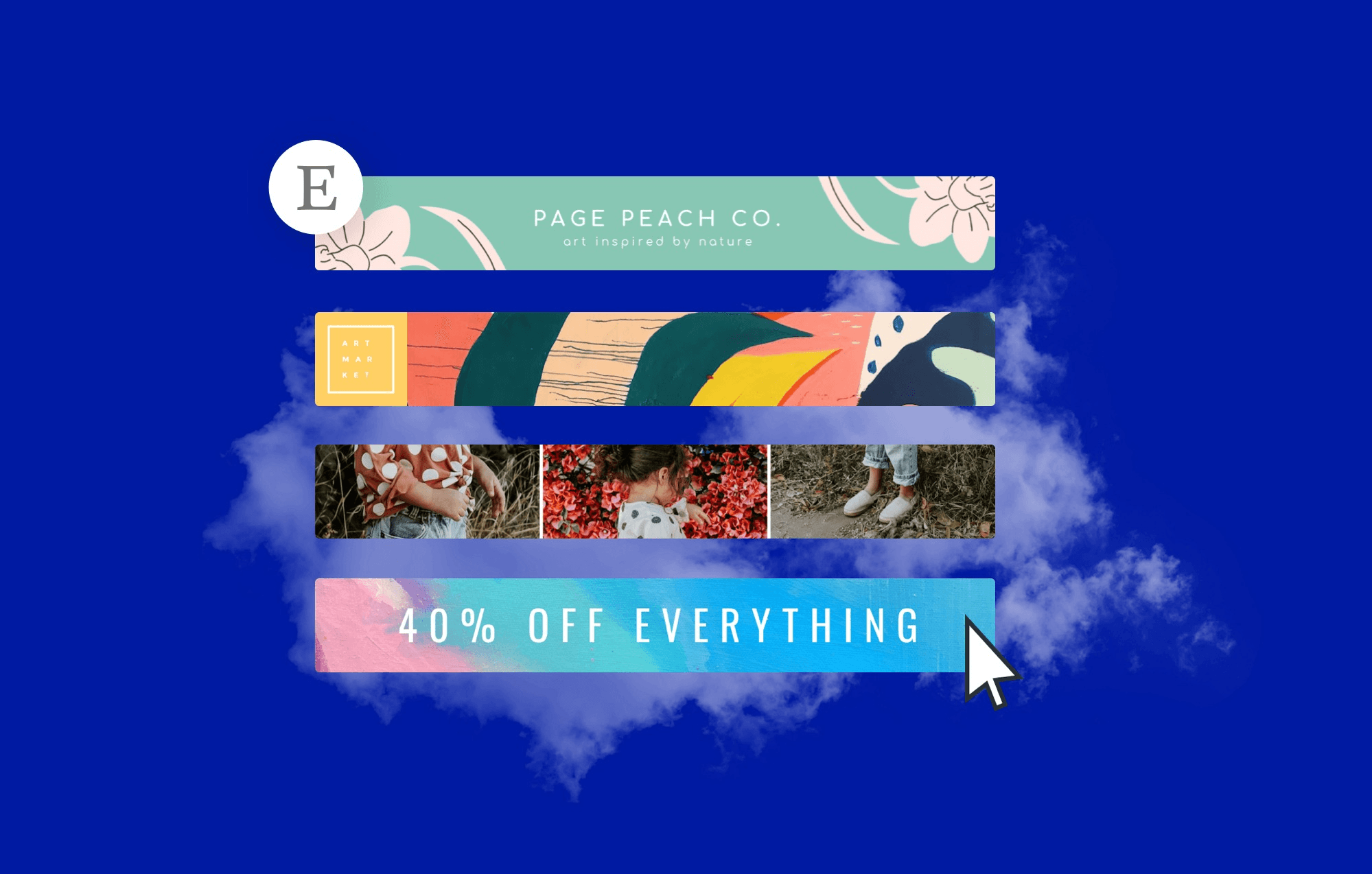
The correct Etsy banner size depends on which banner you pick. Still, for the full-size Big Banner, use the platform-recommended dimensions to achieve pixel-perfect results, as recommended by Accio Blog for a banner size of 3360 x 840 pixels. Choose smaller formats when you need minimal headers, rotating promotions, or receipt branding, so images load faster and display clearly on phones.
Which Banner Should I Use for Different Goals?
Pick a Big Banner when you want:
Immediate visual storytelling
A Mini Banner for a clean, product-first header
A Carousel to rotate multiple messages
A Collage when you need to show variety at a glance
Each format has different visual constraints, so treat your primary image as the master concept and plan variations rather than designing each size from scratch. That mindset saves time and keeps your visual identity consistent across listings and marketing touchpoints.
How Do Banners Change Between Desktop and Mobile?
This challenge appears across shops and product lines: desktop shows most of the canvas, mobile crops and centers automatically, and that difference is where text or logos get chopped. It is exhausting when a carefully composed header suddenly reads as a fragmented artboard on a phone, because the platform crops to keep the central slice visible.
The practical solution is to design with a safe central zone, test on actual devices, and export variants that respect mobile device behavior, ensuring your message remains intact as it scales.
What Should Teams Set as Export Resolution and File Format?
Export at high resolution, then create size-optimized derivatives for each banner type. For example, maintain a production master that can be downsampled without quality loss and prepare listing or campaign assets at common pixel widths, such as 2560 pixels, to preserve detail when cropping, resizing, or repurposing for smaller banners.
File Type for Quality and Transparency
Use JPEG for photographic banners and PNG when you need transparent areas or crisp text. Keep files under the platform limit to ensure uploads succeed. Export at high resolution, then create size-optimized derivatives for each banner type. For example, maintain a production master that can be downsampled without any loss of quality, and prepare listing or campaign assets at common pixel widths, such as 2560 pixels, to preserve detail when cropping, resizing, or repurposing for smaller banners.
Diluting the Brand at Scale
Most teams handle this by making one artboard and manually resizing it for every format, because it is familiar and quick at first. As variations multiply and stakeholders sign off, that method breaks: versions scatter, alignment drifts, and the minor inconsistencies add up to a diluted brand across hundreds of listings.
Automated Multi-Size Generation with Flora AI
Platforms like Flora AI provide an intelligent canvas that automates multi-size generation, maintains version history, and exports production-ready JPEGs and PNGs, allowing teams to move from a single concept to consistent, size-optimized banners far faster while avoiding the usual manual errors.
The Awning Analogy
Imagine your banner as a physical awning, with the critical text on the street-facing center, while the ends tuck into alleyways. Design for what stays visible, not what you wish would stay. But the part that actually breaks most well-intentioned designs is quietly more technical and visual than you expect, and that leads directly into the next tricky question.
Safe Zones and Layout Tips
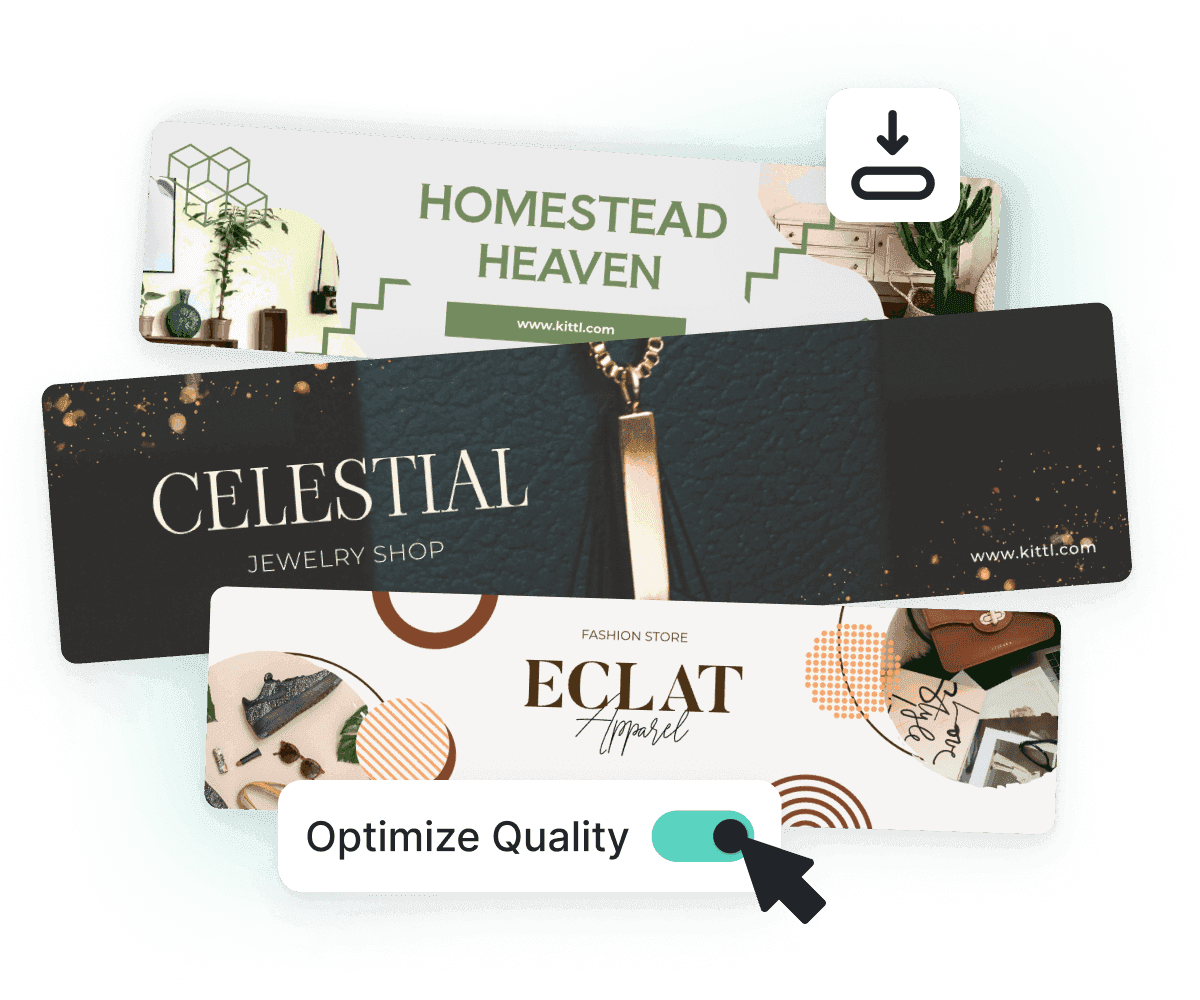
Safe zones are the practical safety net that keeps logos, headlines, and product faces intact when Etsy crops or scales your header; treat them as required, measurable margins rather than vague advice. Layout tips focus on three key areas you can control:
Predictable padding
Export settings that preserve clarity on Retina displays
Design decisions that remain intact after automated cropping and compression.
How Wide Should I Mark the Safe Zone?
Use a percentage-based buffer instead of fixed pixels, allowing the same artboard to adapt across different formats. Mark at least 10 to 15% of the shortest canvas side as a minimum buffer from every edge, and lock essential elements inside that area during composition and export.
That simple rule protects against top and bottom crops and avoids constant pixel-chasing when creating size variants.
How Do I Keep Type and Logos Readable After Scaling?
Design typography for the smallest expected render and then scale up. Choose a base body headline that remains legible at about 18 to 22 pixels after final export, keep stroke widths for logotypes no thinner than 2 pixels at the smallest size, and avoid hairline outlines that vanish after compression.
Also, run a quick contrast check, aiming for a ratio of at least 4.5:1 for small text, so that accessibility and legibility are preserved even under aggressive device compression.
What File and Color Settings Actually Reduce Surprises?
Export a high-resolution master in sRGB and then generate 1x and 2x derivatives for standard and retina displays, compressing JPEGs at a quality range of 75-85 to balance artifact risk and file size.
Embed the sRGB profile
Avoid converting to CMYK
Use lossless PNG only when you need sharp edges or transparency
Keep an archive master at twice the pixel density you need, so downsampling preserves detail when you create multiple banner variants.
Why Does Organization Matter More Than Decoration?
Design that feels simple usually performs better in real tests, which is why 75% of users prefer a clean and straightforward layout, and why you should ruthlessly prioritize hierarchy and whitespace over extra flourishes. When you arrange content into clear blocks and predictable alignment, production scales more easily and handoffs become less fraught.
How Should Teams Set Up a Repeatable Production Workflow?
Treat one high-fidelity concept as the source of truth and generate constrained variants from it using rules, such as fixed safe-zone padding, locked focal point coordinates, contrast presets, and export templates tailored for each target. That avoids the scatter of one-off exports and preserves alignment, tone, and legibility as you multiply listings.
The Hidden Weekly Time Cost
Most teams handle resizing manually because it is familiar and quick at first. The familiar approach works for a handful of banners, but as listings and campaigns grow, manual resizing buries consistency and costs hours every week. Platforms like AI Playground:
Centralize the master artboard
Apply focal-point-aware crops automatically
Batch-export size-optimized files with correct color profiles and compression settings
This reduces iteration time from days to hours while maintaining every banner's on-brand consistency. Think of the safe zone like the stage center in a theater; if the actor moves off stage when the curtain drops, the audience misses the line. Keep the action where everyone can see it, and let the wings hold the scenery.
Simplify Until It Passes
Well-organized visuals increase engagement and make your banners more effective, which is why 50% of website visitors are more likely to interact with content that is clearly structured. Use this as a production metric: if a layout fails a quick engagement check with stakeholders, simplify it until it passes.
Unifying Text, Image, and Video Generation
FLORA is the first AI-native creative canvas that unifies text, image, and video generation in one infinite AI playground, built for professional teams to replace the chaos of jumping between tools with a node-based system that gives complete control over the creative process.
Collaborate in real time like Figma, tap into the world's best AI models, and turn one-off ideas into repeatable workflows. Try FLORA's AI playground for free today!
Related Reading
7 Branding and Design Best Practices for an Etsy Banner

1. How Should You Order Information So Shoppers Act?
Treat the banner like a three‑layer hierarchy: primary headline, supportive subhead, and a micro CTA. Use scale and spacing so the eye stops on the headline within 0.8 to 1.2 seconds; if it does not, you have too much visual noise. Make the logo secondary unless brand recognition is the explicit goal, and keep product imagery cropped to a single, clear focal point. Think of it as stage lighting for the one thing you want a visitor to notice immediately.
2. Which Copy Choices Actually Convert?
Write microcopy for the scroller, not the reader who lingers. Short, specific verbs outperform vague invites; swap “Shop Holiday Gifts” for “Save 20 on Holiday Kits” when an offer exists. Use one promotional token per banner, and test tone—helpful, urgent, or curious—rather than stacking voices. Keep headline variants to three words or fewer when possible, and pair them with a two to five-word CTA that reads as a next step.
3. What Color and Typography Strategy Will Hold Up Across Listings?
Limit your palette to a dominant brand color, one neutral, and one accent color, and set usage ratios so that the dominant color controls no more than about 60% of the visible area. Choose type pairings that contrast in width and weight, never in hairline detail; thin display fonts vanish after compression.
Also, validate font licensing before production, as a missed license can derail a campaign and incur both time and financial costs.
4. How Should You Structure Rapid, Low‑Risk Experiments?
Run single‑variable A/B tests for two-week windows and capture clicks, bounce rate, and add-to-cart behavior, not just impressions. Track each banner with a unique UTM so you know which header prompted the session.
Consider measuring micro-engagements, such as product hover or listing time, to detect early wins. These experiments matter because, as the LitCommerce Blog reports, shops with well-designed banners experience a 30% increase in customer engagement, and minor visual changes can have a measurable impact on buyer behavior.
5. What Production Rules Prevent Asset Rot and Version Confusion?
Most teams resize and rename manually because it is familiar and fast when projects are small. That approach frays as language variants, seasonal promos, and platform crops multiply; approvals scatter, old assets resurface, and legal checks slip. Platforms such as intelligent creative canvases:
Centralize brand tokens
Enforce naming conventions
Batch-export size-appropriate files with audit trails
This compresses review cycles from days to hours while maintaining consistency across every derivative.
6. Which Legal and Accessibility Checks Should Be Non-negotiable?
Confirm image and font rights, avoid using third-party logos unless cleared, and maintain a manifest that records the source, license type, and expiry date. Add descriptive alt text for the banner that reads naturally and includes a primary keyword, and ensure color choices meet contrast requirements for small text.
Also, localize copy for different markets instead of machine‑translating; localization preserves tone and prevents cultural missteps that harm conversion.
7. How Do You Prepare Banners for Modern Delivery Constraints?
Serve multiple file types through responsive attributes, using WebP where supported and SVG for logos to keep crisp edges at any scale. Provide a lightweight fallback for slow networks and ensure retina variants exist for high-DPI displays. Automate these exports so that every release includes both production and fallback layers.
Finally, include a quick preflight checklist before upload: spelling, CTA links, license entries, alt text, and a single person who signs off on the final export.
Banner as Living Asset
You can streamline this into a repeatable workflow that treats a banner as a living asset rather than a one-off image. This approach reduces churn and keeps your shop visually coherent as it grows—reflecting why 80% of Etsy sellers believe that consistent branding is crucial to their shop’s success.
That solution sounds tidy until you realize the choice of tools determines whether those checks are manual busywork or an automated part of every release. That gap is where the following decisions get real.
Related Reading
Tools to Design an Etsy Banner
FLORA AI
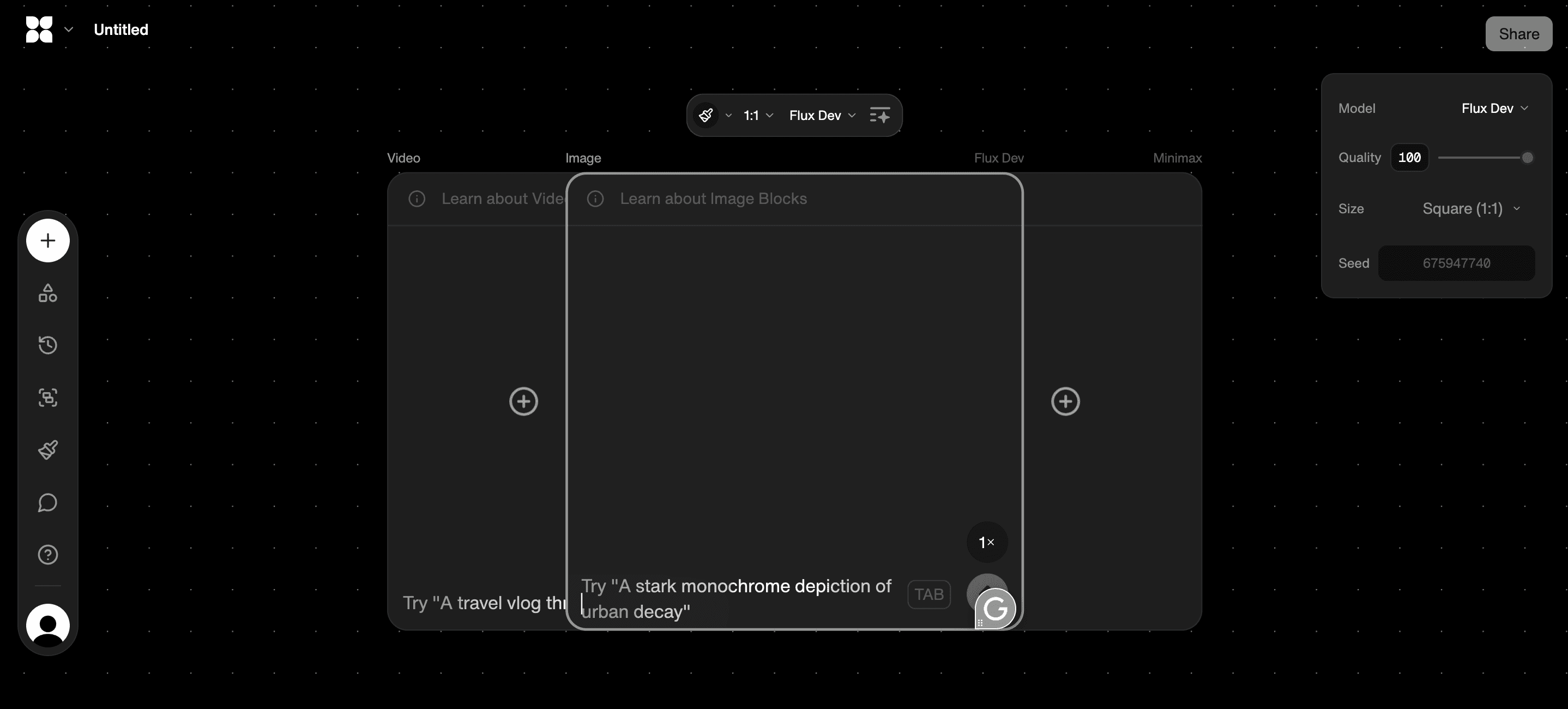
FLORA shines when you want to ideate, iterate, and scale without juggling files. Its node-based canvas lets you:
Switch models
Lock focal points
Generate dozens of size-aware variants from one master concept
This keeps visual tokens consistent across exports and prevents asset sprawl. Use it when you need rule-driven batch exports, license manifests, and real-time collaboration so teams stop reconciling ten different versions in email.
Canva
Canva is fast and forgiving, ideal for single-owner shops that need polished banners without a steep learning curve. The brand kit and templates expedite initial launches; however, expect limitations as your catalog expands, as flattened assets, weaker version control, and inconsistent licensing metadata can necessitate manual cleanup later. Treat Canva as the sprint tool, not the long-term production hub.
Adobe Express
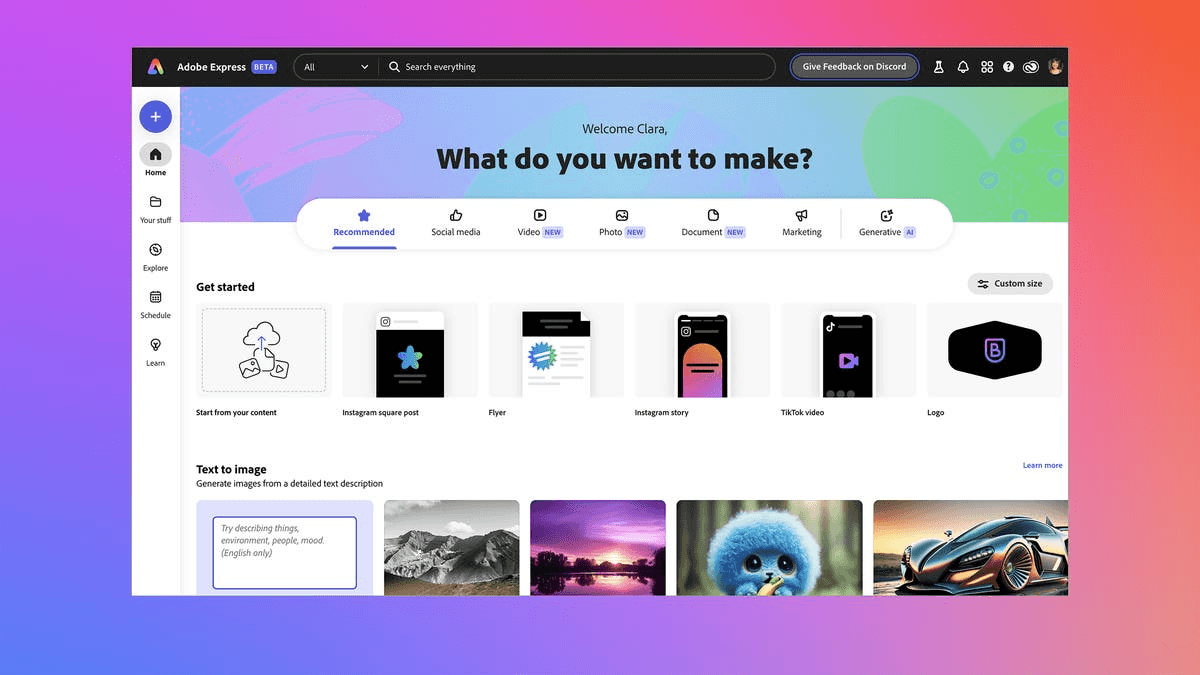
Adobe Express offers more precise control over type, nested assets, and color management, which is essential if your banners rely on refined typography or linked Creative Cloud libraries. It is less generative than AI-first tools, so plan for slower iteration with deeper polish, especially when multiple stakeholders need to review changes.
How Do You Keep Authenticity While Using AI?
This pattern appears across shops and product lines: automated outputs start useful but feel generic unless a human hand adds texture, microcopy, or provenance cues. Use AI to scaffold concepts, then apply handcrafted touches and transparent disclosure to maintain the emotional signal buyers expect.
The Hidden Cost in Approvals
Most teams stitch together three separate tools because that feels familiar; however, as variants multiply, the hidden cost becomes:
Apparent in approvals
Lost licenses
Inconsistent exports
Platforms like FLORA centralize models, version control, and batch rules, compressing iteration from multi-day cycles into focused sessions while preserving brand intent. The moment you push an asset live, small upload choices can undo weeks of careful work.
How to Upload and Change Your Etsy Banner

You can change or upload your Etsy banner from Shop Manager, using the Shop Customise flow to add, replace, or remove the header image. Then, preview and save the change so it goes live immediately.
Select the banner type you want
Upload a correctly formatted JPEG or PNG file under 10 MB
Confirm the preview on both desktop and mobile, and then publish.
Which Menu Items Do I Use to Upload or Replace the Banner?
Open Shop Manager, choose "Edit shop" or go to your shop homepage and click "Customise shop." Then, locate the banner area and click the camera icon or "Add an image." Select the file and wait for the uploader to finish. Use the in-app preview to confirm that the safe center is intact, and then click Save to publish.
What File and Naming Rules Prevent Frustrating Re-Uploads?
Use sRGB color, keep the file under 10 MB, and prefer flattened JPEG for photographic banners or PNG for transparency. Name files with a predictable pattern that includes date and variant, for example, banner_home_20251105_v1.jpg, so that you can track versions quickly during A/B tests and audits.
Also strip heavy metadata and avoid special characters in filenames, as some browsers and CDNs choke on unexpected characters and return opaque errors that appear to be platform failures.
Why Does the Banner Sometimes Look Blurry or Cropped After Upload?
Blurriness usually indicates that the source resolution is too low or that the browser served a compressed derivative. Create a high-resolution master and export 1x and 2x derivatives to accommodate both regular and retina displays. Cropping is the platform’s choice: Etsy centers and trims the canvas, so keep all critical type and logos inside the central safe area when you export.
If the image still appears incorrect after that, verify that an embedded color profile isn’t being ignored by the browser, and try re-exporting without an embedded profile.
What Troubleshooting Steps Help When Uploads Fail?
Try clearing your cache, testing in an incognito window, or switching to Chrome or Firefox as your browser. Rename the file and re-export it at a slightly different resolution to bypass cached server responses. If the uploader stalls, check Etsy’s status page and your account notifications; sometimes, automated verification or account holds block changes. Keep a local copy of the previous banner so you can roll back instantly if a submission gets hung in review.
How Should Teams Handle Seasonal Swaps and Many Size Variants Without Chaos?
Treat one production master as the single source and export rule-driven derivatives for each target size and pixel density, then follow a strict naming convention and archive every export with license metadata. Use a small preflight checklist for each upload, including spelling, CTA URL, alt text, license entry, and a single approver sign-off, to prevent banners from slipping through with legal or accessibility gaps.
The Cost of Version Reconciliation
Most teams manage uploads manually by opening the shop editor and swapping files, because it is simple and low-friction at first. That familiar approach works until seasonal promos, multilingual variants, and campaign rotations create dozens of near-identical files and missing license records, which wastes hours reconciling versions.
Teams find that platforms with an intelligent canvas centralize rule-driven exports, focal-point aware crops, and license manifests, compressing review cycles from days to hours while preserving consistent branding.
A Teammate Can Publish in Minutes
When a shop’s business details change, the platform automation can feel brittle. For example, when we supported a shop during a legal restructure, their automated verification suspended edits despite receiving confirmation emails, making even a simple banner update risky and time-consuming. Because of that:
Plan banner pushes away from known account-change windows
Keep a backup live image
Maintain a documented fallback that any teammate can publish in minutes.
Cohesive Branding Drives 30% Customer Engagement
Keep conversion and engagement in view while you upload. Remember that 50% of online shoppers are more likely to purchase from a store with a visually appealing banner, so make clarity your north star. Also note that shops with a cohesive branding strategy, including a professional banner, experience a 30% increase in customer engagement, which is why consistent versioning and a single-source workflow are crucial.
Automating Frequent Uploads
If uploads are frequent, automate what you can: set export presets for each banner slot, embed alt text in a manifest, and maintain a gradual rollout cadence with UTM-tagged links to measure the impact of each change. Think of changing a banner like swapping the shop’s front awning while customers pass by, do it cleanly and on a predictable schedule so the shop still looks professional in the moments that matter.
That next step may look simpler than it feels, and there is one capability that transforms repetitive copy-and-paste work into a predictable, audit-ready process.
Related Reading
Try FLORA's AI-native Creative Canvas for Free Today
We know it’s exhausting to jump between Midjourney, Canva, and Figma just to tweak copy or reposition a logo—a workflow that fragments feedback and consumes hours of time. FLORA website reported that over 10,000 users had tried its AI-native Creative Canvas, indicating that teams are actively seeking faster and more integrated ways to iterate.
For editable layers, license manifests, and batch exports that shorten review cycles, consider FLORA’s AI playground. In a 2023 FLORA user survey, 90% of users reported increased productivity, evidence that the right tools can turn your Etsy banner workflow from days into hours.



"/><stop offset="1" stop-color="rgba(15, 15, 15, 0)"/></linearGradient></defs><path d="M 899.729 124.429 L 931.177 124.429 L 931.177 108.467 L 946.905 108.467 L 946.905 44.616 L 884.001 44.616 L 884.001 92.504 L 868.274 92.504 L 868.274 124.429 L 852.554 124.429 L 852.554 140.392 L 836.826 140.392 L 836.826 156.355 L 852.554 156.355 L 852.554 172.317 L 836.826 172.317 L 836.826 204.242 L 821.098 204.242 L 821.098 236.168 L 852.554 236.168 L 852.554 252.129 L 758.2 252.129 L 758.2 236.167 L 789.65 236.167 L 789.65 204.241 L 805.378 204.241 L 805.378 172.316 L 821.098 172.316 L 821.098 124.428 L 836.826 124.428 L 836.826 92.504 L 852.554 92.504 L 852.554 44.616 L 836.826 44.616 L 836.826 28.654 L 962.625 28.654 L 962.625 44.616 L 978.353 44.616 L 978.353 60.579 L 994.081 60.579 L 994.081 76.541 L 978.353 76.541 L 978.353 124.429 L 946.905 124.429 L 946.905 140.392 L 931.177 140.392 L 931.177 156.355 L 946.905 156.355 L 946.905 236.168 L 978.417 236.168 L 978.417 220.205 L 994.145 220.205 L 994.145 204.242 L 1009.865 204.242 L 1009.865 188.28 L 1025.593 188.28 L 1025.593 204.242 L 1009.865 204.242 L 1009.865 220.205 L 994.145 220.205 L 994.145 236.168 L 1025.593 236.168 L 1025.593 252.13 L 915.449 252.13 L 915.449 156.355 L 899.729 156.355 Z M 1135.672 172.317 L 1119.944 172.317 L 1119.944 76.541 L 1104.216 76.541 L 1104.216 92.504 L 1088.496 92.504 L 1088.496 108.467 L 1072.768 108.467 L 1072.768 92.504 L 1088.496 92.504 L 1088.496 76.541 L 1104.216 76.541 L 1104.216 60.579 L 1119.944 60.579 L 1119.944 28.654 L 1135.672 28.654 L 1135.672 60.579 L 1151.392 60.579 L 1151.392 236.168 L 1167.12 236.168 L 1167.12 252.13 L 1104.216 252.13 L 1104.216 236.168 L 1119.944 236.168 L 1119.944 188.28 L 1135.672 188.28 Z M 1072.768 124.429 L 1072.768 140.392 L 1057.041 140.392 L 1057.041 156.355 L 1041.321 156.355 L 1041.321 172.317 L 1025.593 172.317 L 1025.593 156.355 L 1041.321 156.355 L 1041.321 140.392 L 1057.041 140.392 L 1057.041 124.429 Z M 176.61 25.988 C 124.406 25.988 78.864 38.954 68.867 80.108 C 64.424 102.095 70.533 130.282 105.522 145.504 C 107.678 146.379 109.332 146.83 110.516 147.152 C 112.382 147.661 113.082 147.852 112.742 148.886 C 112.186 150.577 106.633 150.014 102.19 148.323 C 69.424 136.484 51.65 107.168 54.983 77.289 C 60.536 35.572 109.966 -1.636 179.387 0.056 C 202.713 0.056 238.812 5.692 273.246 15.276 C 293.795 20.914 321.009 28.243 346.555 34.444 C 369.881 24.86 392.096 18.659 411.534 18.659 C 425.628 18.659 438.846 21.919 444.414 28.654 L 537.86 28.654 L 537.86 44.616 L 506.41 44.616 L 506.41 60.579 L 490.685 60.579 L 490.685 92.504 L 474.959 92.504 L 474.959 124.429 L 459.233 124.429 L 459.233 172.317 L 443.508 172.317 L 443.508 220.205 L 427.783 220.205 L 427.783 236.168 L 522.135 236.168 L 522.135 220.205 L 537.86 220.205 L 537.86 204.242 L 553.586 204.242 L 553.586 172.317 L 569.311 172.317 L 569.311 204.242 L 553.586 204.242 L 553.586 236.168 L 537.86 236.168 L 537.86 252.13 L 364.881 252.13 L 364.881 236.168 L 396.332 236.168 L 396.332 220.205 L 412.058 220.205 L 412.058 172.317 L 427.783 172.317 L 427.783 140.392 L 443.508 140.392 L 443.508 92.504 L 459.234 92.504 L 459.234 44.616 L 444.157 44.616 C 437.338 52.415 419.206 55.303 394.318 55.303 C 379.323 55.303 357.108 53.048 349.333 51.92 C 337.67 63.196 325.452 77.853 314.9 90.82 C 305.307 102.032 297.996 111.856 290.818 121.501 C 284.281 130.284 277.855 138.919 269.914 148.323 C 283.798 148.886 298.794 147.759 309.901 143.812 C 320.454 129.155 333.783 122.39 342.669 124.645 C 351.554 126.9 350.444 135.92 337.67 145.504 C 335.4 147.26 333.256 148.887 331.193 150.453 C 322.659 156.932 315.515 162.356 306.569 171.436 C 304.66 173.374 302.994 175.312 301.571 176.968 C 299.269 179.646 297.602 181.584 296.572 181.584 C 293.24 182.148 294.351 172 296.572 166.363 C 299.349 159.597 302.126 154.524 304.903 150.577 C 295.462 153.396 284.91 154.524 266.026 154.524 C 264.938 155.812 263.791 157.222 262.545 158.751 C 259.978 161.904 256.993 165.569 253.253 169.745 C 204.381 225.557 123.85 256 71.645 256 C 29.993 256 0 239.087 0 212.591 C 0 193.987 12.774 175.947 34.99 175.947 C 53.317 175.947 61.092 188.349 60.537 200.188 C 59.981 208.644 57.204 213.718 51.651 219.92 C 47.763 224.429 44.431 228.376 44.431 234.013 C 44.431 243.597 52.762 249.798 68.867 250.362 C 111.631 253.181 142.177 234.013 176.61 195.678 C 190.494 180.456 200.491 168.054 210.488 153.96 C 198.27 153.96 186.607 153.96 179.943 154.524 C 172.902 154.799 168.37 155.744 165.639 156.313 C 162.768 156.912 161.886 157.096 162.17 155.652 C 162.726 153.396 167.724 149.45 184.385 148.323 C 188.537 147.94 196.791 148.077 204.443 148.204 C 208.052 148.264 211.528 148.323 214.375 148.323 C 222.151 137.611 231.037 125.772 242.7 113.37 C 264.915 89.128 294.35 65.451 323.23 47.411 C 307.124 45.719 281.021 40.645 263.804 37.263 C 239.923 32.753 203.268 25.988 177.166 25.988 L 176.61 25.988 Z M 365.438 39.518 C 386.542 45.156 403.204 46.847 413.2 46.847 C 427.64 46.847 440.969 42.336 441.524 36.136 C 442.08 29.37 428.751 24.296 410.979 24.296 L 410.423 24.296 C 394.317 24.296 375.435 32.753 365.438 39.518 Z M 711.023 252.129 L 616.672 252.129 L 616.672 236.167 L 600.946 236.167 L 600.946 220.204 L 585.221 220.204 L 585.221 108.466 L 600.946 108.466 L 600.946 76.54 L 616.672 76.54 L 616.672 60.578 L 632.396 60.578 L 632.396 44.616 L 663.847 44.616 L 663.847 28.654 L 758.2 28.654 L 758.2 44.616 L 773.924 44.616 L 773.924 60.579 L 789.65 60.579 L 789.65 172.317 L 773.924 172.317 L 773.924 188.28 L 758.2 188.28 L 758.2 220.205 L 742.474 220.205 L 742.474 236.168 L 711.023 236.168 Z M 663.847 44.616 L 663.847 60.579 L 648.122 60.579 L 648.122 76.541 L 632.396 76.541 L 632.396 108.467 L 616.672 108.467 L 616.672 220.205 L 632.396 220.205 L 632.396 236.168 L 695.298 236.168 L 695.298 220.205 L 711.023 220.205 L 711.023 204.242 L 726.749 204.242 L 726.749 188.28 L 742.474 188.28 L 742.474 156.355 L 758.2 156.355 L 758.2 60.579 L 742.474 60.579 L 742.474 44.616 Z" fill="url(%23k7ftP17bN-2050371890-linear-gradient)" height="255.9995555606772px" id="k7ftP17bN" width="1167.1199228535695px"/></svg>)