Nov 2, 2025

FLORA

Ever uploaded a channel banner that looked perfect on your laptop but cut off on your phone? Banner size matters because it’s the first visual impression of your channel, and it needs to display seamlessly across desktop, mobile, and TV. This guide breaks down the essentials of a professional YouTube banner, from safe areas and aspect ratios to resolution and file format, so your logo and text stay clear and consistent on every screen.
With Flora’s intuitive AI playground design workspace, you can preview and adjust your channel art in real time. Test layouts, confirm dimensions, and refine visuals without guesswork, ensuring every element fits perfectly and strengthens your brand’s visual control.
Summary
Design YouTube channel art on a 2560 x 1440 pixel canvas, keeping all key text and logos within the 1546 x 423 pixel safe area to prevent cropping on mobile and tablet displays.
Visual precision drives acquisition: optimized banners can support higher viewer retention, with many users deciding to subscribe based on a channel’s visual strength.
Manual, export-based workflows slow teams down, especially when producing hundreds of banner variants. Centralized templates streamline the process, reducing review cycles from days to hours.
Export production files at 2560 x 1440 resolution in high-quality PNG or JPG (sRGB), ensuring each file remains under 6 MB. For faster review, use 2048 x 1152 proofs to maintain center alignment while preserving detail.
Validate banner updates with controlled tests across two to four weeks, monitoring channel-visit subscribe rate, first-session retention, and playlist click-through performance.
Profile images should be 800 x 800 pixels, and thumbnails should be 1280 x 720 pixels, to maintain sharpness and legibility across circular crops and feed previews.
Flora’s intuitive AI playground design workspace simplifies this process. Teams can preview safe-area crops in real time, run batch scaling from a single master file, and verify exports against device-scale guides, ensuring consistent 2560 x 1440 canvases and 1546 x 423 safe zones every time.
Table of Contents
The Correct YouTube Banner Size
Why Using the Right YouTube Banner Size Matters
Design Tips for an Effective YouTube Banner
How to Upload Your YouTube Channel Banner
What Is the Size of a YouTube Profile Photo and Thumbnail?
Try FLORA’s Creative Canvas for Free
The Correct YouTube Banner Size
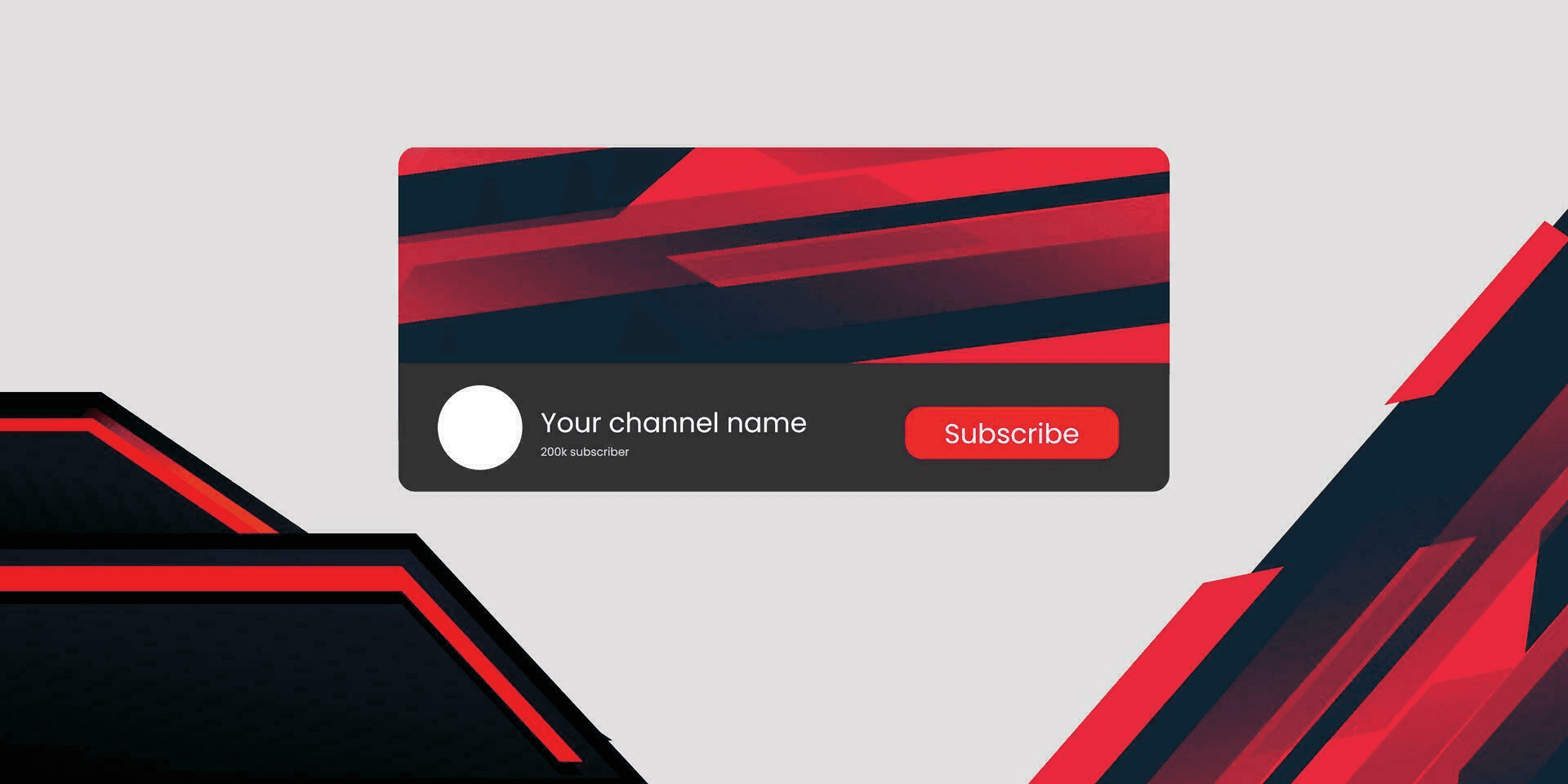
The correct YouTube banner size is a 2560 x 1440 pixel canvas with all essential text and logos kept within the 1546 x 423 pixel safe area, ensuring nothing is cropped on phones or tablets.
Upload at high resolution in JPG or PNG format, and design the image so that only the center remains visible at all times.
What Exact Dimensions Should I Upload?
Start from the whole canvas, not a trimmed file. The 2560 x 1440 canvas provides room for TV and large displays, while YouTube automatically crops for smaller screens. Keep critical elements away from the edges; use the outer bands solely for decorative purposes.
Where Should I Place Text And Logos So They Never Get Cut Off?
Keep all readable text, callouts, and logos inside the 1546 x 423 safe zone to ensure consistent visibility across devices. The secure area is not a guideline; it’s a guarantee of visibility.
A practical approach is to design in two layers:
A central layer for key messaging
A background layer that extends across the whole canvas for visual depth
Why Does Manual Cropping Cause Friction?
This challenge is prevalent in small studios and in-house teams, where the familiar workflow for each device preview, which involves:
Exporting
Cropping
Re-exporting
At scale, this fragments effort, causes misalignment, and leads to unnecessary review rounds. The result is delayed launches and repeated rework.
How Can Teams Stop Repeating That Work?
Most teams rely on manual exports because it feels simple. That may work for one banner, but across hundreds of variants, it becomes slow and prone to errors.
Flora’s intuitive AI playground design workspace solves this by offering an intelligent canvas, all from a single master file, where teams can:
Preview safe areas
Run batch scaling
Maintain consistent alignment
Iteration cycles compress from days to hours while keeping complete creative control.
How Do Banners Actually Scale Across Devices In Practice?
Think of the whole canvas as a stage, with the center under the spotlight.
TVs reveal:
The entire frame
Desktops show a wide section
Phones display only the center
Use subtle backgrounds and a clean focal point. Test exports by overlaying a 1546 x 423 guide or previewing at device scale; if the message holds, the design is sound.
How Should I Export For The Cleanest Display?
Export as PNG or high-quality JPG in sRGB color space, and keep files under 6 MB. Avoid text that’s too small; ensure the type remains legible within the safe area on mobile devices.
For multi-brand work, use templated layers labeled for safe-area elements so every export maintains precise alignment. That quiet sense of order when a banner aligns perfectly isn’t just relief, it’s control.
Why Using the Right YouTube Banner Size Matters
Your banner determines whether a visitor:
Stays
Explores
Leaves
It shapes first impressions and directly affects retention and subscription behavior.
According to Yum Yum Videos, channels with well-optimized banners record a 30% increase in viewer retention, and 75% of viewers decide to subscribe based on a channel’s visual strength.
Why Does A Mis-sized Banner Erode Trust?
A cropped, stretched, or pixelated header signals carelessness, and that impression is made quickly. When teams rush last-minute exports, review cycles expand, and launches slip because misalignment is often noticed only on mobile.
The pattern becomes fatigue: the visual handshake fails, and the channel feels smaller and less credible than it is.
How Does Banner Quality Translate Into Measurable Outcomes?
Visual precision removes friction at first glance, guiding a viewer to stay longer.
Track these metrics on the days you update banners, not just impressions:
New-visitor retention
Channel-visit subscribe rate
Session length
If those metrics rise, the change isn’t cosmetic; it’s a performance driver.
What Breaks When Teams Scale Banner Production?
Many teams still manage updates because it feels familiar through:
Exports
Shared folders
Manual renaming
That process holds until:
Campaigns multiply
Then versions diverge
Safe-area alignment drifts
Quality control becomes a constant repair job
As complexity grows, the hidden cost is time lost reconciling assets and diluted brand consistency across videos.
How Can Workflows Evolve Without Creating Chaos?
Teams streamline output by using Flora’s intuitive design workspace, which centralizes iterations on a single canvas.
Without repeated exports, it enables:
Batch scaling
Reference swaps
Safe-area consistency
Review cycles shorten from days to hours, and teams retain full control over creative direction.
What Should You Track To Prove That A Banner Change Was Effective?
Run controlled swaps and track key viewer metrics: first-session retention, subscribe rate on channel visits, and playlist click-throughs. Use equal-traffic windows of two to four weeks to avoid noise from external campaigns. For a quick check, compare subscriber conversion between users landing on the channel page versus those arriving on a video page.
That quick visual alignment feels like closure, but it’s the deeper structural precision, placement, balance, and clarity that convert casual visitors into loyal subscribers.
Related Reading
Design Tips for an Effective YouTube Banner
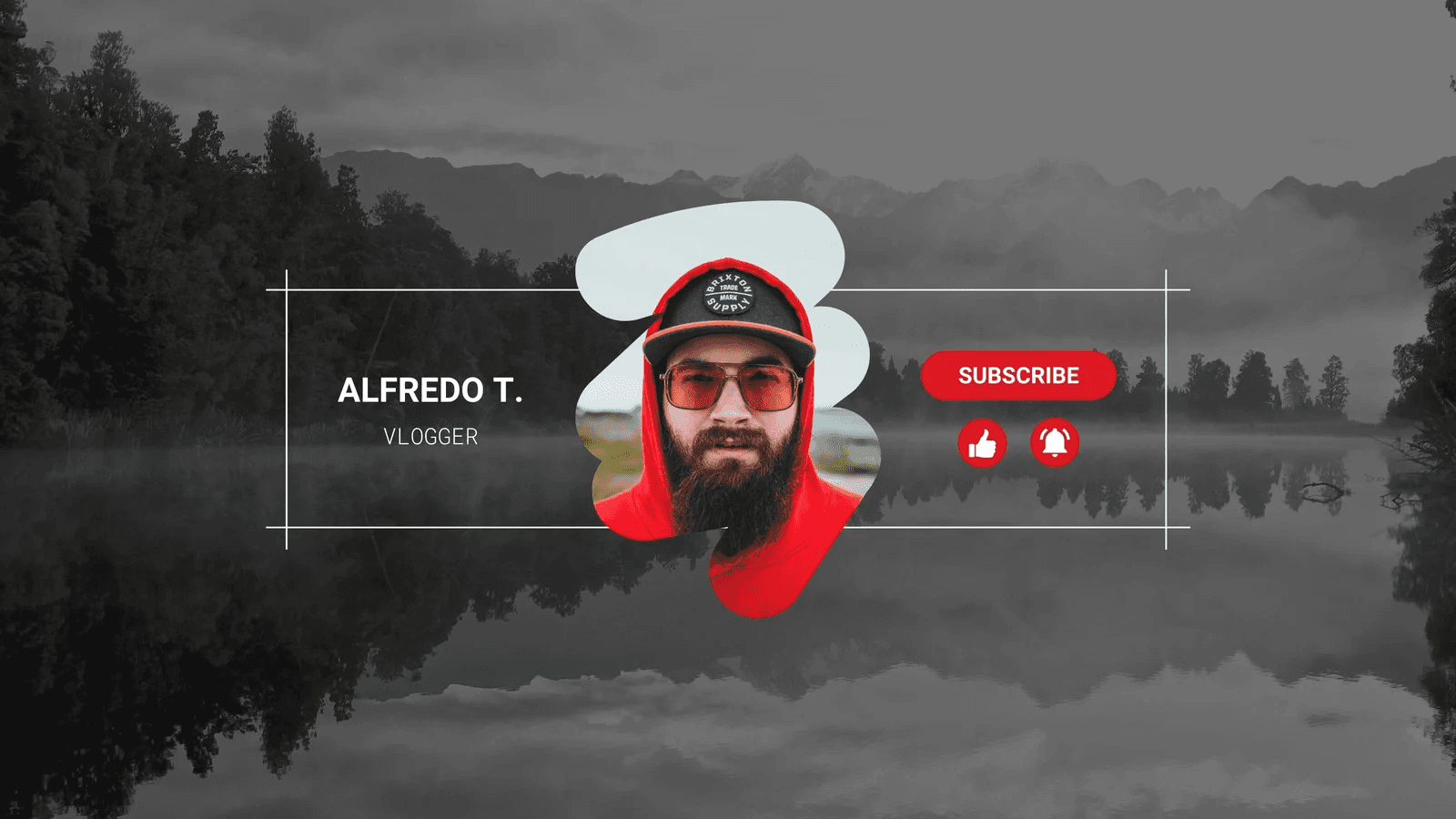
Treat the banner as a living brief, not a static deliverable. Set clear goals, iterate fast, and measure how each variation shapes viewer behavior. Build repeatable patterns that protect your brand while keeping iteration fluid and intentional.
How Should You Structure Iteration to Ensure Experimentation Does Not Damage Your Brand?
When teams need multiple banner variants, the usual trap is manual exports and misaligned edits.
It happens everywhere: each round spawns:
A new file
Small crops drift
Review cycles expand from hours to days
Use named layers for core branding elements and lock them before branching to ensure consistency across all aspects. This simple discipline keeps experiments contained and maintains the brand's integrity.
What Workflow Reduces Last-Minute Rework And Version Chaos?
Teams often rely on scattered chat messages and threads. Familiar, yes, but it fractures context and delays decisions.
Unified workspaces solve this:
Centralizing versions
Comments
Intelligent variants
Review cycles compress from days to hours, and every export retains traceable context. When producing regional or seasonal variants, generate them from a single master, export in batches, and tag each file with its corresponding campaign and safe-area template.
How Do You Choose Export Resolutions During A Creative Sprint?
For quick previews that maintain high iteration velocity, export at 2048 x 1152 pixels — a balanced size that strikes a balance between fidelity and speed. Reserve 2560 x 1440 pixels for final approvals when testing the detail and large-screen display.
Treat sizes as workflow tools: both rooted in the same template, not rigid rules:
One optimized for speed
One for polish
How Should Typography And Hierarchy Adapt Across Viewports?
Design systems should scale type with precision. Set a clear headline height for the safe area, then step down for narrower canvases. Maintain legibility on phones by defining a minimum readable size and slightly tightening tracking at smaller scales.
Avoid decorative type that collapses when reduced in size. Always test: export the central column at mobile width and confirm clarity without zoom.
What Checks Catch Visual Regressions Before They Go Live?
Automate checks wherever possible. Perceptual-diff scans flag cropping or compression shifts. Checksum-based naming prevents overwrites. Add a preflight layer overlay to verify contrast and alignment.
These checks preserve quality and speed, control without friction.
How Do You Know A New Banner Is Actually Better?
Run measured swaps. Track subscription rates, first-session retention, and click-throughs to playlists. Use a consistent two-week window to minimize noise. If a variant moves key metrics with clarity, you have proof, not preference, and a signal worth scaling.
The easy fix is tempting. The real power lies in how you structure your process before the first export. The next step illustrates the operational shift that ensures every upload is:
Controlled
Consistent
Fast
Related Reading
How to Upload Your YouTube Channel Banner

Uploads happen quickly, but treat them as verification, not just execution. Prepare a production master, upload it through YouTube Studio, confirm the previews, and then validate the live stream across devices and caches. Nothing should surprise you after publication.
What File Preparation Actually Prevents Visible Errors?
Export your final master at high resolution, ready for large-screen display. Verify color accuracy and compression before uploading; a post-publish error costs more than a few extra minutes of checking. For final approvals, export a production master at 2560 x 1440 pixels to meet TV and large-screen standards.
During rapid review cycles, use a lighter proof at 2048 x 1152 pixels to speed renders while preserving key detail. Save in sRGB. Use PNG for flat graphics, JPG (high quality) for photographic work. Run a quick contrast scan to ensure thin type holds up after compression.
How Do You Make Upload Checks Reproducible Rather Than Frantic?
Build a concise preflight checklist that takes five minutes, end-to-end. Confirm filename and checksum, overlay the locked brand guide, compare against the previous header, and test in both incognito mode and the YouTube mobile app.
Think of it as a pilot’s walkaround: short, deliberate moves that prevent the one mistake that can derail a full launch.
Why Do Teams Still End Up Fixing Banners At The Last Minute?
Many teams rely on email chains and ad hoc exports because they feel simple. That familiarity hides a deeper cost:
Scattered context
Duplicated work
Frantic patching after publish
Centralized creative systems solve that friction, keeping versions, feedback, and exports in one place. When templates stay locked and decorative layers remain flexible, teams can iterate fast without compromising control.
What Practical Checks Save You From Cache And CDN Surprises?
After publishing, clear your:
Local cache
Refresh the channel page
Test the content under different networks
CDNs occasionally serve cached banners for a brief window. If the update still lags, re-upload the same file with a slightly altered name, a subtle metadata change that forces a fresh fetch.
These quiet, procedural habits consistently display across all devices.
A Quick Human Pattern That Matters
Across studios and in-house teams, the same issue repeats: the banner appears sharp on a designer’s monitor but is unreadable on smaller screens. The cause is simple, treating preview as proof. Shift that review one stage earlier, and you save hours of revision and unnecessary stress.
FLORA is an intuitive, creative canvas that unifies text, image, and video workflows in one collaborative space, built for professionals who design at speed and scale. Centralized templates, batch exports, and real-time feedback keep every banner precise, consistent, and ready for release.
The paradox? The step that feels easiest often defines the discipline of everything that follows.
What Is the Size of a YouTube Profile Photo and Thumbnail?
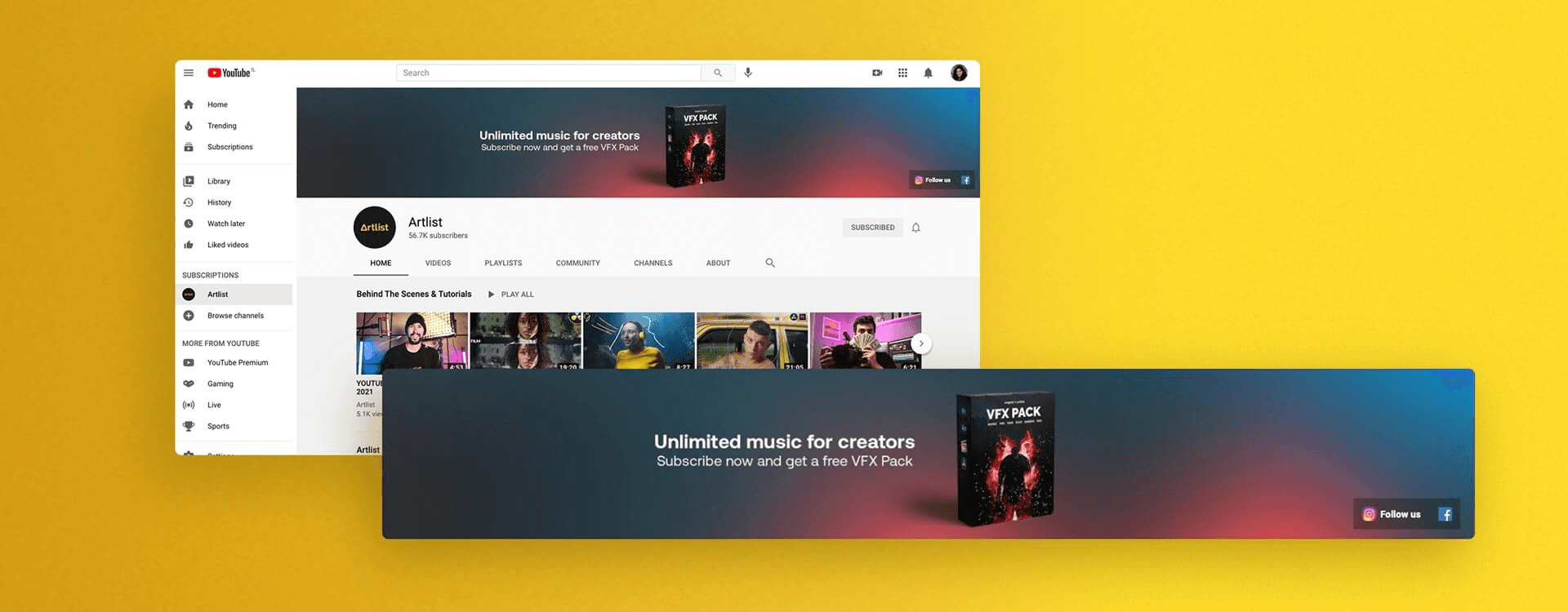
Profile photos should be uploaded as high-resolution squares so circular crops stay crisp. Thumbnails should be produced at a video-ready width so they read cleanly across feeds and previews. Use the platform-recommended upload size for optimal sharpness, and export thumbnails at full preview resolution to ensure text and faces remain legible when scaled.
What Size Should My Profile Photo Be And Why?
The recommended upload size for a YouTube profile picture is 800 x 800 pixels, according to Pixazo Blog. That resolution preserves detail when the site applies circular masks and compresses across devices.
Treat 800 x 800 as your master file: keep the subject centered, and test it at the smallest rendered size to confirm clarity and balance.
How Large Should My Thumbnail Be To Avoid Pixelation?
Create thumbnails at 1280 x 720 pixels, per SocialSizes. This resolution aligns with YouTube’s preview grid and maintains your focal point precision across desktop and mobile devices. Think of the thumbnail as a storefront window, compact yet deliberate.
Prioritize one clear visual focus and concise, bold text.
Why Does Cropping And Resizing Slow Teams Down?
This pattern repeats across many teams: designers manually crop masters into multiple platform sizes, which fragments effort and introduces misalignment. The hidden cost appears when campaigns multiply; what began as a ten-minute task expands into hours of rework and late fixes.
Manual exports initially feel manageable, but the strain increases as the number of variants rises:
Feedback scatters
File names drift
Consistency fades
Systems like FLORA’s intelligent canvas centralize references, batch scaling, and export management. Every version remains linked to a single, locked master, ensuring that quality, alignment, and structure remain intact as the volume increases.
What Practical Checks Catch Problems Before Upload?
Build a short checklist you can run in minutes:
Confirm the master image is centered.
Export the profile photo at 800 x 800 pixels.
Export thumbnails at 1280 x 720 pixels.
Convert to sRGB.
Preview each asset at 25–33% scale to simulate feed display.
For thumbnails, test a screenshot from the video player preview. If the text or subject doesn’t read instantly, simplify the layout or tighten the crop.
How To Set Up A Fast, Repeatable Export Pipeline
Lock the primary subject on a template layer. Keep high-resolution logo masters, and use structured file names with campaign metadata so scripts can automate exports. Generate all platform variants from a single master to maintain consistent color and contrast, while reducing manual edits.
A quick visual check and filename checksum prevent accidental overwrites and post-publish corrections.
A Small Test That Saves Time And Frustration
Before release, publish one thumbnail and one profile photo to an unlisted video or test channel. Check both on a mobile device under a slower connection. That brief, real-world check catches compression and crop issues that static previews overlook.
The fix appears simple, but the next step reveals a more profound change that enables teams to scale visuals with precision and calm.
Related Reading
Try FLORA’s Creative Canvas for Free
When brand assets live across too many tools, even a simple banner update can spiral into hours of fixes and late-night uploads. FLORA’s Creative Canvas brings speed and control back to your workflow.
Over 50,000 users joined FLORA in its first month, and teams report cutting design time by half. On one intuitive canvas, you can run batch scaling, switch references, and lock safe-area templates, keeping every export:
Precise
Consistent
On brand
Test it yourself and see how much faster your next launch can move.



"/><stop offset="1" stop-color="rgba(15, 15, 15, 0)"/></linearGradient></defs><path d="M 899.729 124.429 L 931.177 124.429 L 931.177 108.467 L 946.905 108.467 L 946.905 44.616 L 884.001 44.616 L 884.001 92.504 L 868.274 92.504 L 868.274 124.429 L 852.554 124.429 L 852.554 140.392 L 836.826 140.392 L 836.826 156.355 L 852.554 156.355 L 852.554 172.317 L 836.826 172.317 L 836.826 204.242 L 821.098 204.242 L 821.098 236.168 L 852.554 236.168 L 852.554 252.129 L 758.2 252.129 L 758.2 236.167 L 789.65 236.167 L 789.65 204.241 L 805.378 204.241 L 805.378 172.316 L 821.098 172.316 L 821.098 124.428 L 836.826 124.428 L 836.826 92.504 L 852.554 92.504 L 852.554 44.616 L 836.826 44.616 L 836.826 28.654 L 962.625 28.654 L 962.625 44.616 L 978.353 44.616 L 978.353 60.579 L 994.081 60.579 L 994.081 76.541 L 978.353 76.541 L 978.353 124.429 L 946.905 124.429 L 946.905 140.392 L 931.177 140.392 L 931.177 156.355 L 946.905 156.355 L 946.905 236.168 L 978.417 236.168 L 978.417 220.205 L 994.145 220.205 L 994.145 204.242 L 1009.865 204.242 L 1009.865 188.28 L 1025.593 188.28 L 1025.593 204.242 L 1009.865 204.242 L 1009.865 220.205 L 994.145 220.205 L 994.145 236.168 L 1025.593 236.168 L 1025.593 252.13 L 915.449 252.13 L 915.449 156.355 L 899.729 156.355 Z M 1135.672 172.317 L 1119.944 172.317 L 1119.944 76.541 L 1104.216 76.541 L 1104.216 92.504 L 1088.496 92.504 L 1088.496 108.467 L 1072.768 108.467 L 1072.768 92.504 L 1088.496 92.504 L 1088.496 76.541 L 1104.216 76.541 L 1104.216 60.579 L 1119.944 60.579 L 1119.944 28.654 L 1135.672 28.654 L 1135.672 60.579 L 1151.392 60.579 L 1151.392 236.168 L 1167.12 236.168 L 1167.12 252.13 L 1104.216 252.13 L 1104.216 236.168 L 1119.944 236.168 L 1119.944 188.28 L 1135.672 188.28 Z M 1072.768 124.429 L 1072.768 140.392 L 1057.041 140.392 L 1057.041 156.355 L 1041.321 156.355 L 1041.321 172.317 L 1025.593 172.317 L 1025.593 156.355 L 1041.321 156.355 L 1041.321 140.392 L 1057.041 140.392 L 1057.041 124.429 Z M 176.61 25.988 C 124.406 25.988 78.864 38.954 68.867 80.108 C 64.424 102.095 70.533 130.282 105.522 145.504 C 107.678 146.379 109.332 146.83 110.516 147.152 C 112.382 147.661 113.082 147.852 112.742 148.886 C 112.186 150.577 106.633 150.014 102.19 148.323 C 69.424 136.484 51.65 107.168 54.983 77.289 C 60.536 35.572 109.966 -1.636 179.387 0.056 C 202.713 0.056 238.812 5.692 273.246 15.276 C 293.795 20.914 321.009 28.243 346.555 34.444 C 369.881 24.86 392.096 18.659 411.534 18.659 C 425.628 18.659 438.846 21.919 444.414 28.654 L 537.86 28.654 L 537.86 44.616 L 506.41 44.616 L 506.41 60.579 L 490.685 60.579 L 490.685 92.504 L 474.959 92.504 L 474.959 124.429 L 459.233 124.429 L 459.233 172.317 L 443.508 172.317 L 443.508 220.205 L 427.783 220.205 L 427.783 236.168 L 522.135 236.168 L 522.135 220.205 L 537.86 220.205 L 537.86 204.242 L 553.586 204.242 L 553.586 172.317 L 569.311 172.317 L 569.311 204.242 L 553.586 204.242 L 553.586 236.168 L 537.86 236.168 L 537.86 252.13 L 364.881 252.13 L 364.881 236.168 L 396.332 236.168 L 396.332 220.205 L 412.058 220.205 L 412.058 172.317 L 427.783 172.317 L 427.783 140.392 L 443.508 140.392 L 443.508 92.504 L 459.234 92.504 L 459.234 44.616 L 444.157 44.616 C 437.338 52.415 419.206 55.303 394.318 55.303 C 379.323 55.303 357.108 53.048 349.333 51.92 C 337.67 63.196 325.452 77.853 314.9 90.82 C 305.307 102.032 297.996 111.856 290.818 121.501 C 284.281 130.284 277.855 138.919 269.914 148.323 C 283.798 148.886 298.794 147.759 309.901 143.812 C 320.454 129.155 333.783 122.39 342.669 124.645 C 351.554 126.9 350.444 135.92 337.67 145.504 C 335.4 147.26 333.256 148.887 331.193 150.453 C 322.659 156.932 315.515 162.356 306.569 171.436 C 304.66 173.374 302.994 175.312 301.571 176.968 C 299.269 179.646 297.602 181.584 296.572 181.584 C 293.24 182.148 294.351 172 296.572 166.363 C 299.349 159.597 302.126 154.524 304.903 150.577 C 295.462 153.396 284.91 154.524 266.026 154.524 C 264.938 155.812 263.791 157.222 262.545 158.751 C 259.978 161.904 256.993 165.569 253.253 169.745 C 204.381 225.557 123.85 256 71.645 256 C 29.993 256 0 239.087 0 212.591 C 0 193.987 12.774 175.947 34.99 175.947 C 53.317 175.947 61.092 188.349 60.537 200.188 C 59.981 208.644 57.204 213.718 51.651 219.92 C 47.763 224.429 44.431 228.376 44.431 234.013 C 44.431 243.597 52.762 249.798 68.867 250.362 C 111.631 253.181 142.177 234.013 176.61 195.678 C 190.494 180.456 200.491 168.054 210.488 153.96 C 198.27 153.96 186.607 153.96 179.943 154.524 C 172.902 154.799 168.37 155.744 165.639 156.313 C 162.768 156.912 161.886 157.096 162.17 155.652 C 162.726 153.396 167.724 149.45 184.385 148.323 C 188.537 147.94 196.791 148.077 204.443 148.204 C 208.052 148.264 211.528 148.323 214.375 148.323 C 222.151 137.611 231.037 125.772 242.7 113.37 C 264.915 89.128 294.35 65.451 323.23 47.411 C 307.124 45.719 281.021 40.645 263.804 37.263 C 239.923 32.753 203.268 25.988 177.166 25.988 L 176.61 25.988 Z M 365.438 39.518 C 386.542 45.156 403.204 46.847 413.2 46.847 C 427.64 46.847 440.969 42.336 441.524 36.136 C 442.08 29.37 428.751 24.296 410.979 24.296 L 410.423 24.296 C 394.317 24.296 375.435 32.753 365.438 39.518 Z M 711.023 252.129 L 616.672 252.129 L 616.672 236.167 L 600.946 236.167 L 600.946 220.204 L 585.221 220.204 L 585.221 108.466 L 600.946 108.466 L 600.946 76.54 L 616.672 76.54 L 616.672 60.578 L 632.396 60.578 L 632.396 44.616 L 663.847 44.616 L 663.847 28.654 L 758.2 28.654 L 758.2 44.616 L 773.924 44.616 L 773.924 60.579 L 789.65 60.579 L 789.65 172.317 L 773.924 172.317 L 773.924 188.28 L 758.2 188.28 L 758.2 220.205 L 742.474 220.205 L 742.474 236.168 L 711.023 236.168 Z M 663.847 44.616 L 663.847 60.579 L 648.122 60.579 L 648.122 76.541 L 632.396 76.541 L 632.396 108.467 L 616.672 108.467 L 616.672 220.205 L 632.396 220.205 L 632.396 236.168 L 695.298 236.168 L 695.298 220.205 L 711.023 220.205 L 711.023 204.242 L 726.749 204.242 L 726.749 188.28 L 742.474 188.28 L 742.474 156.355 L 758.2 156.355 L 758.2 60.579 L 742.474 60.579 L 742.474 44.616 Z" fill="url(%23k7ftP17bN-2050371890-linear-gradient)" height="255.9995555606772px" id="k7ftP17bN" width="1167.1199228535695px"/></svg>)